.png)
Everyone is on the same journey
Almost every engineering organization we talk to is on the same journey right now: moving package downloads away from public registries and behind an internal one, whether that is JFrog Artifactory, Sonatype Nexus, Cloudsmith, Google Artifact Registry, or StepSecurity Secure Registry, so that policies like cooldown periods and compromised package blocking apply before a package ever lands.
The reason is simple. When a developer or a CI job runs npm install or pip install, the request goes to whatever registry that machine is configured to use, and the registry hands back exactly what was last published. This year that simple fact put malicious code behind some very familiar names. Malicious versions of axios, the HTTP client downloaded tens of millions of times every week, were published to npm. Two litellm releases on PyPI carried an identical credential stealer, hidden two different ways inside the published wheels, so there was nothing for repository scanning to look at. And a republished @bitwarden/cli ran a credential stealer on the developer machine that did the install, harvested SSH keys, cloud credentials, and GitHub tokens, then used those tokens to inject malicious workflows into CI.
Different ecosystems, different techniques, one common step: the install request went straight to a public registry, on whatever machine ran the install. Sometimes that machine is a CI runner. Increasingly often, it is a developer machine.
Declaring the migration is easy. Proving it is hard.
Here is what actually happens during this migration. Engineering teams report they have moved to the internal registry. Then someone looks closely and finds thousands of scattered places still calling registry.npmjs.org: a yarn install falling back to registry.yarnpkg.com, a Docker build pulling base images from registry-1.docker.io, a Maven release job calling repo1.maven.org right alongside the internal registry, a fresh developer machine where nothing sets a registry at all.
Your internal registry cannot show you this. It logs the requests that came to it. It has no record of the jobs and developer machines that went around it.
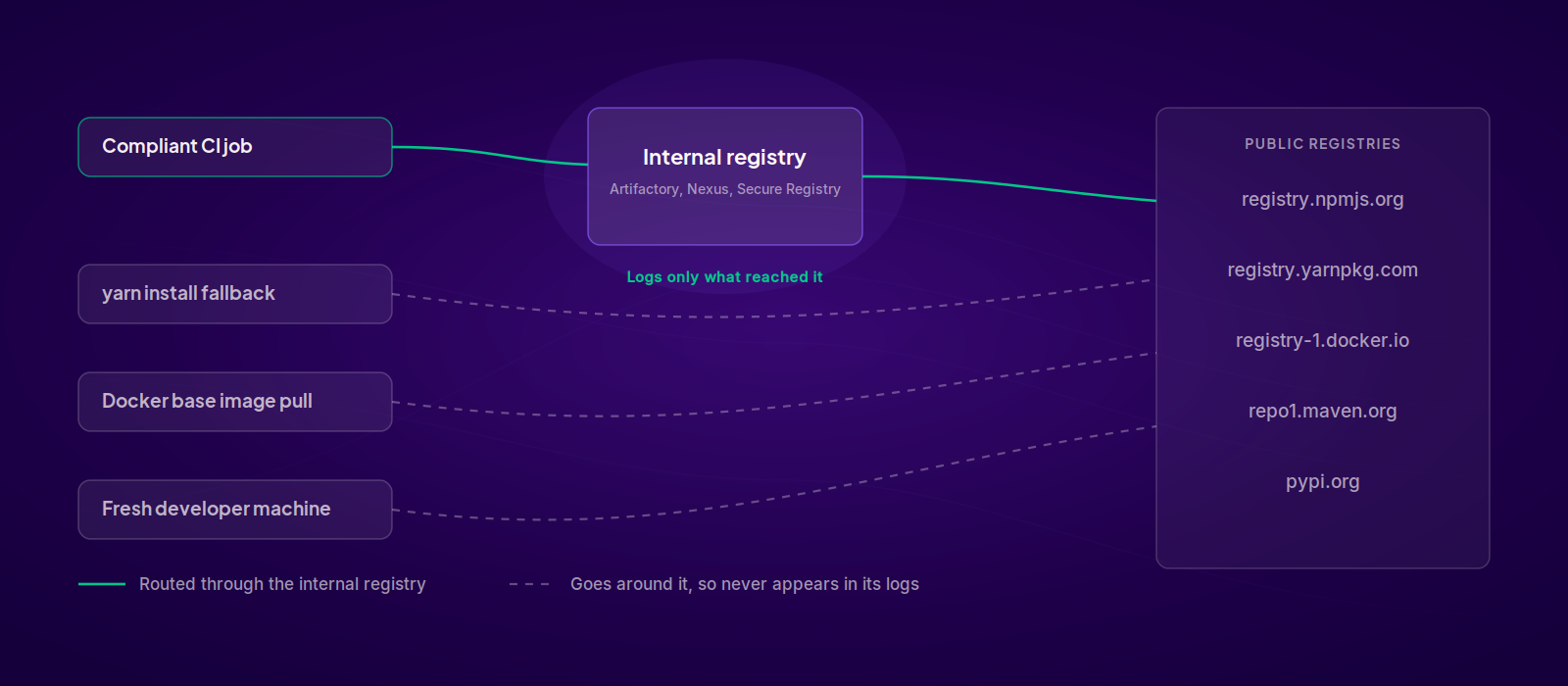
That visibility gap is what two controls on the StepSecurity Overview dashboard close. One asks the question in CI. The other asks the same question on every developer machine.
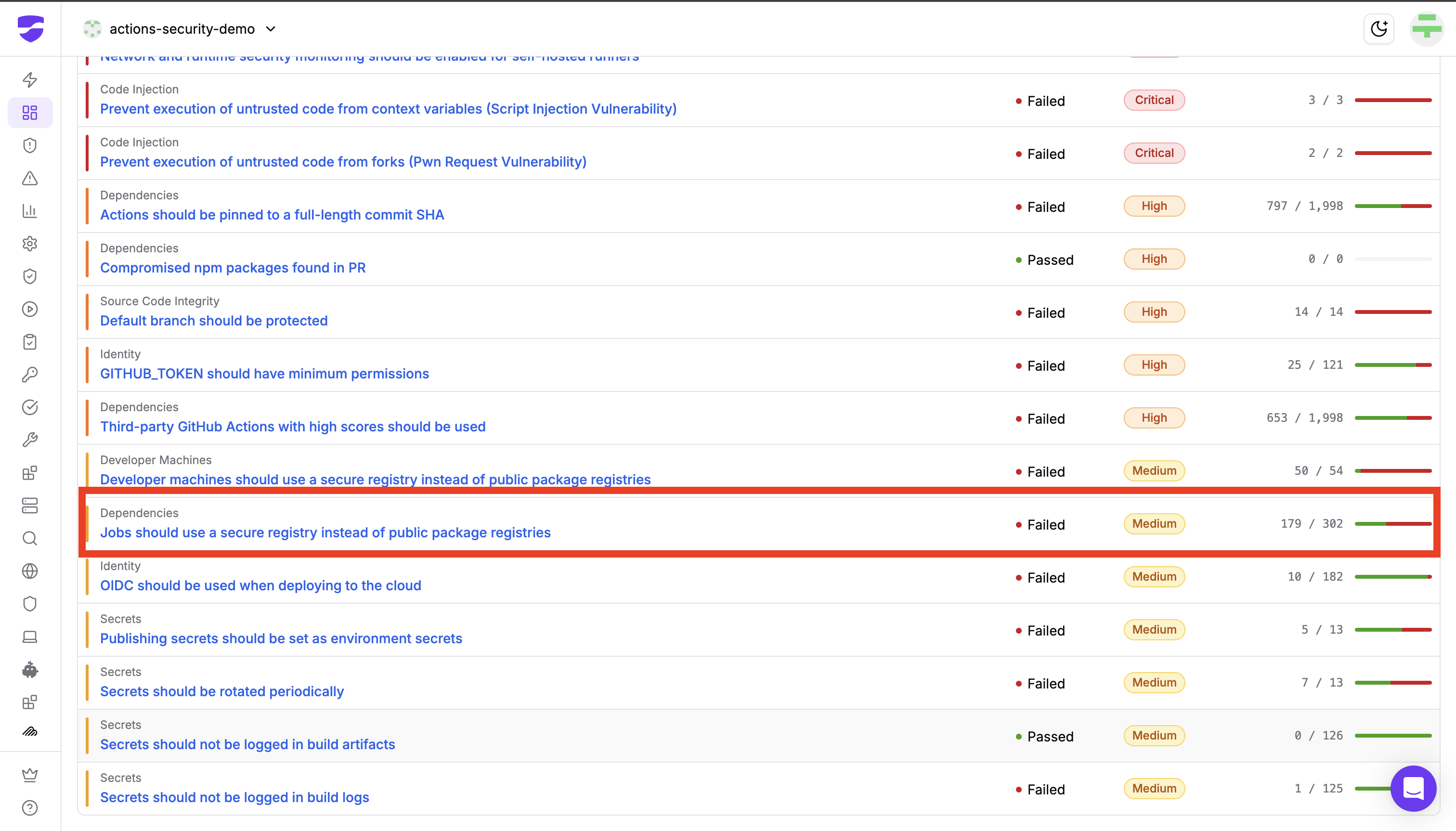
Control 1: Jobs should use a secure registry instead of public package registries
Category: Dependencies. Severity: Medium.
This control passes if the job's network baseline contains no calls to public package registries such as registry.npmjs.org, pypi.org, or registry-1.docker.io.
The evaluation is behavioral, not declarative. It does not read your workflow file and look for a registry setting. Harden Runner monitors the job's actual outbound network calls during its runs, so a job that sets a private registry in one place but falls through to the public default somewhere else still shows up as failing. From a failing job you can drill down to the specific outbound call and the process that made it, which turns "this job is not compliant" into "this yarn install step on this repository is the one still calling the public registry."
One note for teams that already block egress: the baseline records attempted calls, including calls your network policy blocked. If you see this control fail on a job you know is locked down, the evidence is telling you something in that job is still trying to reach a public registry, even though it did not get through.
Control 2: Developer machines should use a secure registry instead of public package registries
Category: Developer Machines. Severity: Medium. Evaluated by Dev Machine Guard.
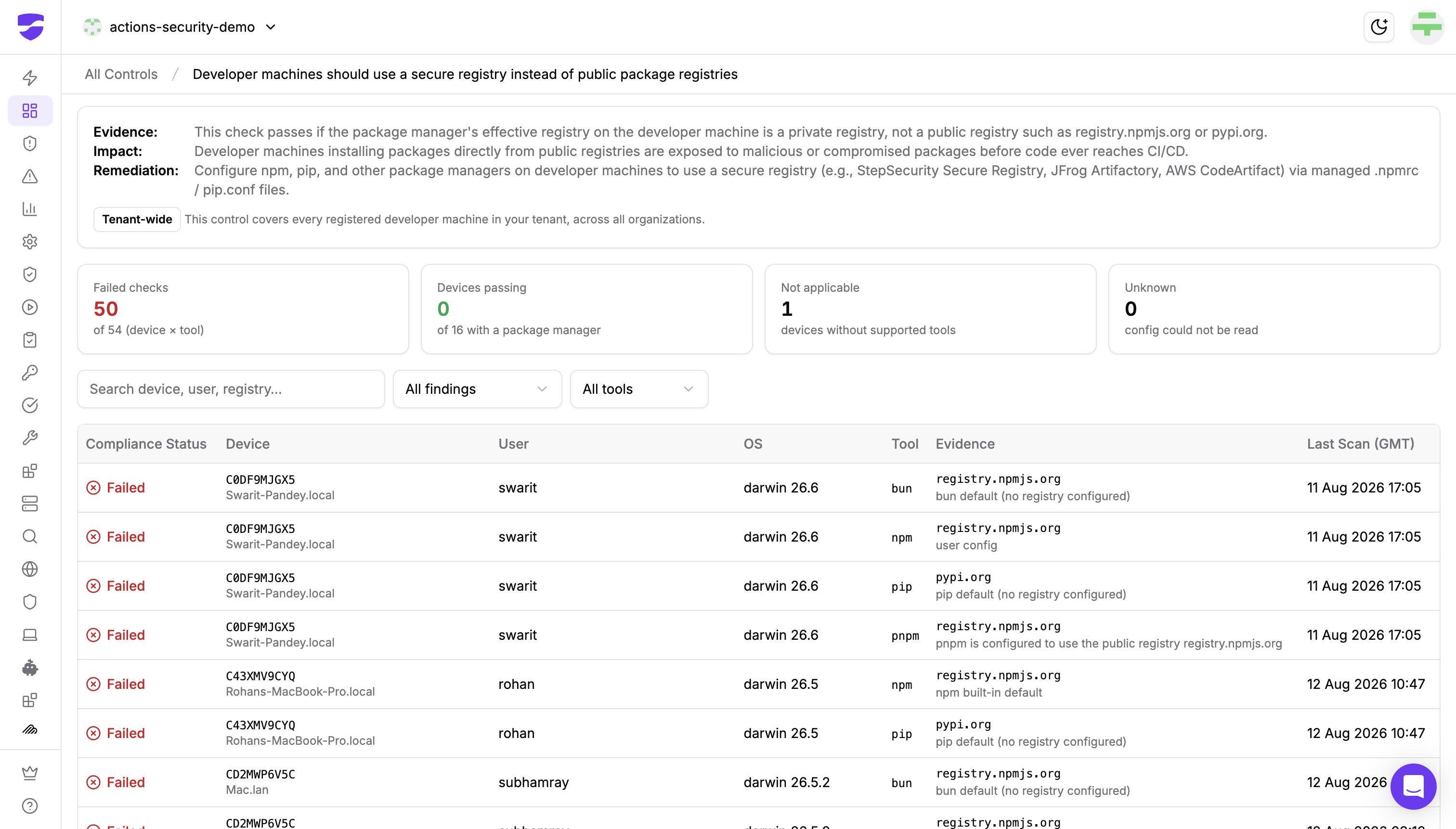
This control passes if the package manager's effective registry on the developer machine is a private registry rather than a public one.
Where the jobs control watches behavior, this control reads configuration. Dev Machine Guard is not a persistent agent and does not monitor network traffic on developer machines. Instead it reads the configuration files each package manager actually resolves from, .npmrc for npm, pip.conf for pip, and reports the effective registry and where that value came from. The two controls are mirror images: one tells you what the job actually did, the other tells you what the machine is set up to do.
Two things make this control different from most of what sits on the Overview dashboard.
First, it is tenant wide. It covers every registered developer machine in your tenant, across all organizations, rather than a selected set of repositories.
Second, it is evaluated per device and tool pair, not per device. A single developer machine with npm, pnpm, bun, and pip installed produces four separate checks, because each package manager reads its own configuration and resolves its own registry. A machine can be correctly pointed at your internal registry for npm and still be going straight to pypi.org for pip.
The control detail page reflects that. Four tiles summarize failed checks, devices passing, devices with no supported package manager, and pairs whose configuration could not be read. The table underneath gives you one row per device and tool pair with the evidence: the effective registry plus the source of that value. That last column is the useful part during remediation. "npm built-in default" means nothing on that machine sets a registry at all. "User config" means a config file sets it explicitly. A pnpm explicitly configured to use registry.npmjs.org means someone wrote the public registry in by hand. Those are three different fixes.
Why both controls, and not just one
The two controls are the same question asked at the two points where installs actually happen.
The @bitwarden/cli compromise shows why the CI side alone is not enough. It ran on the developer machine that did the install, and then used the stolen GitHub tokens to attack the pipelines. If your CI is behind a secure registry and your developer machines are not, the developer machines are the way in and CI is the target.
And developer machines are getting busier, not quieter. A fresh clone, a floating version, an npx invocation, or an AI coding agent installing dependencies mid task all resolve from whatever registry the machine is configured for, and none of them pass through pull request review.
Visibility is step one. Then you enforce.
The controls tell you where you stand. Enforcement follows the same shape on both surfaces: point every client at your registry, then make going around it hard.
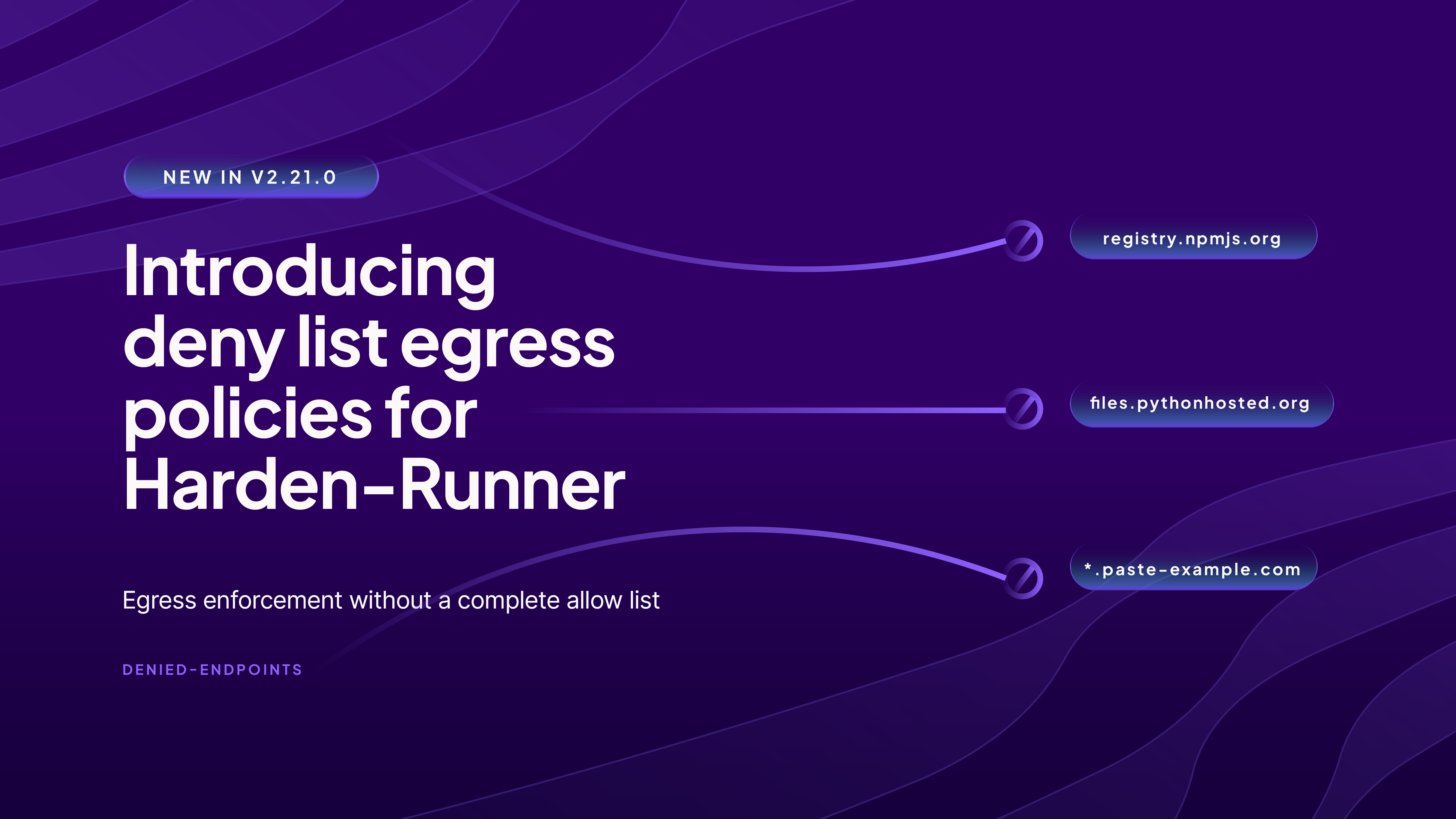
In CI, block the public registries at the network level. Harden Runner's network egress policy restricts a job's outbound calls so that traffic to public package registries is blocked. A job then either resolves from your configured registry or the install fails loudly, instead of silently falling back to a public default. Once package downloads route through your registry, the job's baseline clears and the control passes.
On developer machines, set the configuration centrally. Dev Machine Guard device policies set the machine level .npmrc so every developer machine resolves from your chosen registry, deployed once as policy rather than machine by machine. The Package Configs view then confirms it landed: it shows the effective registry each device resolves from and the scope the value was set in, which is how you catch a machine where the global config is right but a project level file is overriding it.
At the registry itself, apply download time policies. StepSecurity Secure Registry sits between your developer machines, your CI runners, and the public registries, and evaluates every metadata request and tarball download before a response comes back. If you already run an internal registry, you keep it and point its remote repository's upstream at Secure Registry; developers change nothing. The available controls are Cooldown Period, Compromised Packages, and Typosquatting Protection, configured per ecosystem. Cooldown alone would have covered all three attacks above, because compromised versions are typically identified and pulled within hours of publication, and a package that has to age before it can be installed never reaches you in that window. The Compromised Packages control is backed by our threat intelligence team, which validates each incident and pushes the affected versions and infrastructure across the platform.
Attribution ties the three layers together. Appending a device identifier to the Secure Registry API key means every request in the Policy Evaluations log traces back to the specific developer machine or pipeline that made it. When a package is later confirmed compromised, you are not asking who might have pulled it. You already know.
Follow this interactive demo to see this controls in action:
Track the migration, not just the incidents
Run both controls against your own organization. The Overview dashboard shows where your jobs and developer machines are resolving packages from today, with no configuration change required first. Teams running a registry migration use these two controls as their progress metric: the failed check count is the number of jobs and developer machines left to move, and it should only go down quarter over quarter. Start free
Get the full picture of your GitHub Actions posture. The GitHub Actions Audit reports on these controls alongside the rest of your pipeline security posture. Request your audit
Talk through rollout across CI and developer machines. Secure Registry and Dev Machine Guard are Enterprise tier. Request a demo