An allow list is the strongest egress control we ship. It is also the one teams take longest to turn on.
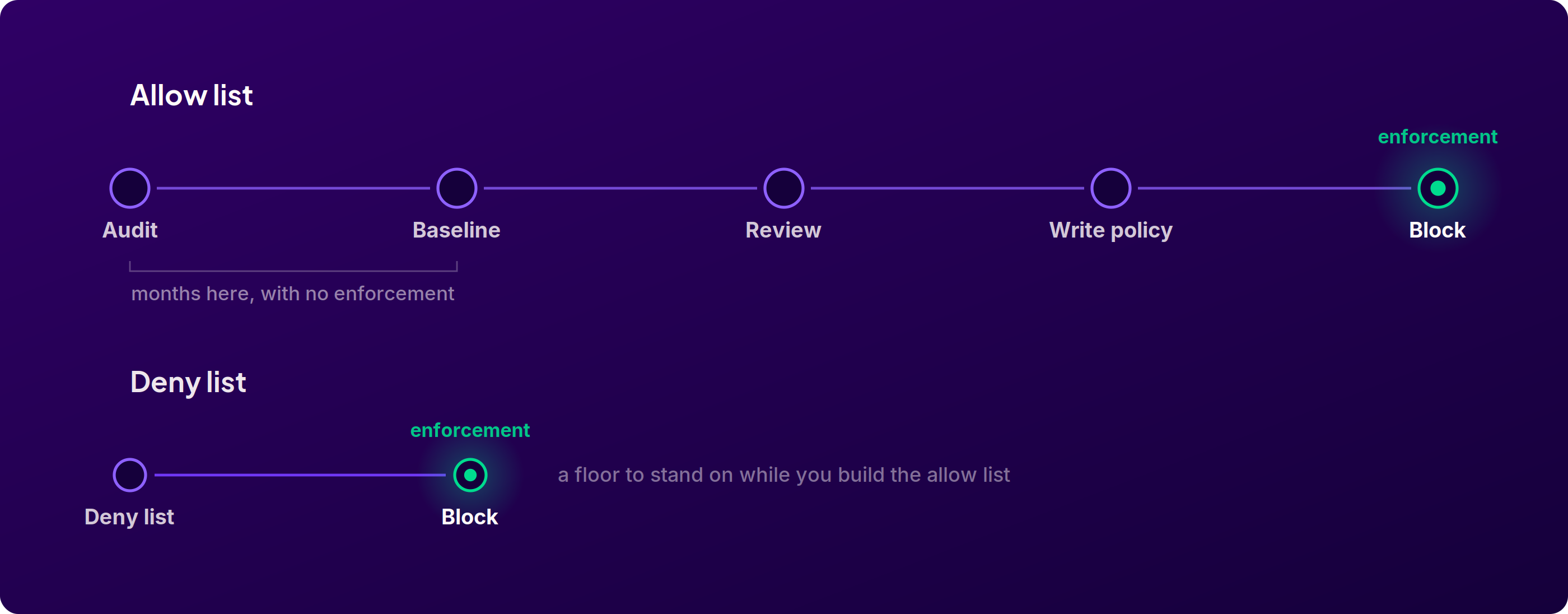
The reason is the order of operations. To block everything except what a job needs, you first have to know everything a job needs. A job's real endpoint list is longer and stranger than anyone expects, an incomplete allow list fails builds rather than failing quietly, and the team that owns the pipeline is rarely the team that wants to own that breakage. So a lot of workflows sit in audit mode for months. Visibility, no enforcement.
Meanwhile, most of those teams can already name destinations their CI has no business reaching. They just have no way to act on that knowledge without doing the whole allow list first.
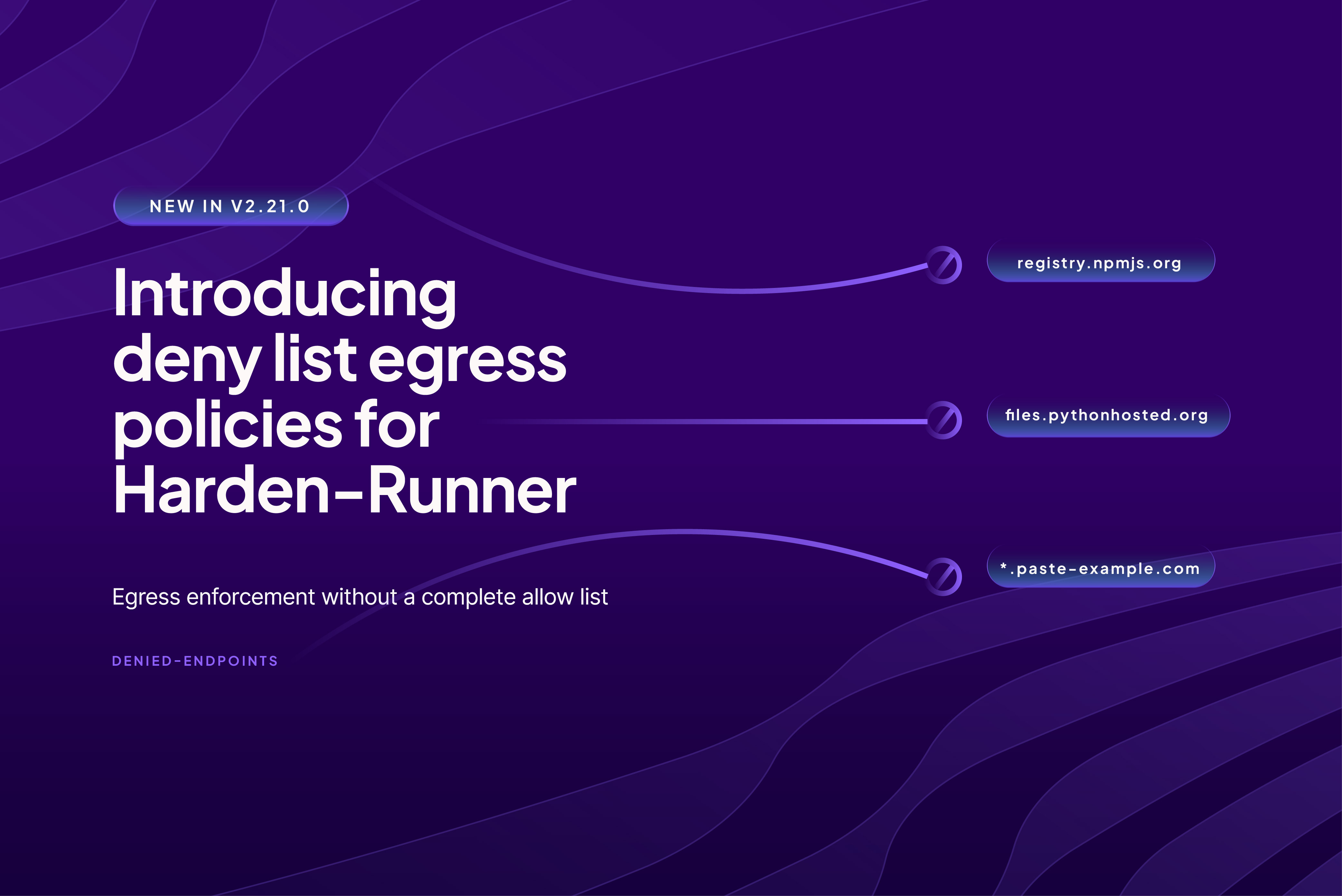
Deny lists close that gap. The Harden-Runner GitHub Action v2.21.0 adds a denied-endpoints input that blocks the destinations you list and leaves everything else reachable.
How it works
Set egress-policy: block and list what to deny:
steps:
  - uses: step-security/harden-runner@v2.21.0
    with:
      egress-policy: block
      denied-endpoints: |
        example.com
        *.example.org
Everything not on the list stays reachable. Wildcard domains work the same way they do in allow lists, so *.example.org covers every subdomain with one entry.
Ports are not part of a deny list entry. A denied endpoint is denied on every port, and if you write one anyway it is stripped and ignored. registry.example.com:443 denies registry.example.com on every port, not just 443. This is a real difference from allowed-endpoints, where the port is part of the entry, so do not copy an allow list across and expect the ports to carry meaning.
Entries are not limited to domains. A deny list takes an IP address too, so 203.0.113.10 on its own line denies every connection to that address, with the same port rule: 203.0.113.10:443 denies the address on every port.
Availability across deployment options:
The Policy Store matters more here than it does for allow lists. A deny list is usually an organizational decision rather than a per-job one: if you have decided your CI should never reach a given destination, you have decided it for every repository at once. Managing that centrally means one policy attached to an organization or cluster scope, updated in one place, with no workflow file edits.
Use case: make your package proxy non-bypassable
This is the use case we get asked about most, and it is the one where a deny list does something an allow list cannot do cheaply.
If you have deployed Secure Registry, your package clients are configured to install through it, so every metadata request and download is evaluated against your cooldown, compromised-package, and block-list controls before it returns.
Configured. Not enforced. A configuration is a default, and defaults get overridden. A .npmrc committed to a repository, a --registry flag in a build script, a Dockerfile that resets the registry, a postinstall script that does its own fetch, a fresh container that never picked up the config. Any of those and the install goes straight to the public registry, and none of your install-time controls apply. You will not see it in the Policy Evaluations log either, because the request never reached Secure Registry.
Denying the public registries turns the configuration into an enforced path. Installs through Secure Registry keep working, because registry.stepsecurity.io is not on the deny list and a deny list leaves everything unlisted reachable. Installs that try to go direct fail.
The destinations to deny are the upstreams each ecosystem's default client would otherwise use:
PyPI needs both entries because the default client fetches metadata from one host and downloads distributions from another. Go needs both because module downloads and checksum verification are separate lookups. Secure Registry proxies both halves in each case, which is why denying the direct paths does not break anything routed through it.
There is a second benefit worth naming. The npm registry is not only where packages come from, it is where they go. Self-propagating campaigns spread by publishing trojanized versions using a stolen publish token. A build job that installs dependencies and runs tests has no reason to write to the public registry, and a job that cannot reach registry.npmjs.org at all cannot be used to publish from.
Use case: destinations CI should never reach
The second category is destinations that are not malicious by consensus but that no legitimate build step in your organization uses. Request-bin and webhook-capture services. Public paste sites. Consumer file-transfer hosts. Ad-hoc tunneling services that expose a runner to inbound traffic.
None of these are inherently bad. That is exactly why they are a deny list problem rather than a threat intelligence problem. We cannot decide for you whether your builds legitimately use a tunneling service. You can.
Harden-Runner already handles the part that does not require your judgment. The Global Block List is maintained by our SOC and covers domains and IPs tied to active campaigns. It is enforced automatically, on every protected workflow, even in audit mode, and allowlisting an IOC in your own policy does not override it. When Megalodon compressed harvested credentials from more than 5,500 repositories and posted them to a bare IP on port 8443, that address went on the Global Block List, and it is still there.
So the division of labour is: we block what is known-malicious, you deny what is merely unwanted. The two lists do different jobs and neither substitutes for the other. If your own threat intel turns up an address before ours does, or you simply want a destination gone across every repository today, a deny list takes it, bare IP included.
To decide what belongs on yours, start from what your runners actually contact. The unified network egress view lists every destination observed across your organization, with the workflow runs behind each one. Read down it, and the entries nobody can justify are your first deny list.
What a deny list will not do
Worth being direct about this, because the failure mode is a false sense of coverage.
A deny list only stops what you named. It is open by default, so a destination nobody anticipated is reachable, which is precisely the case an allow list is built to cover. If an attacker controls the exfiltration target, they will pick one you did not think of.
More importantly, a deny list cannot help when exfiltration abuses a destination you are obliged to allow. In Sha1-Hulud: The Second Coming, the payload harvested credentials and wrote them out as JSON to newly created public GitHub repositories, using the victim's own GitHub token. The destination was github.com. No CI deny list is going to include github.com. Stopping that one takes an allow list you cannot bypass, plus the detections that key on behavior rather than destination.
Treat a deny list as a floor you can stand on this week, not as a ceiling. Deploy it, then keep working toward the allow list.
Getting started
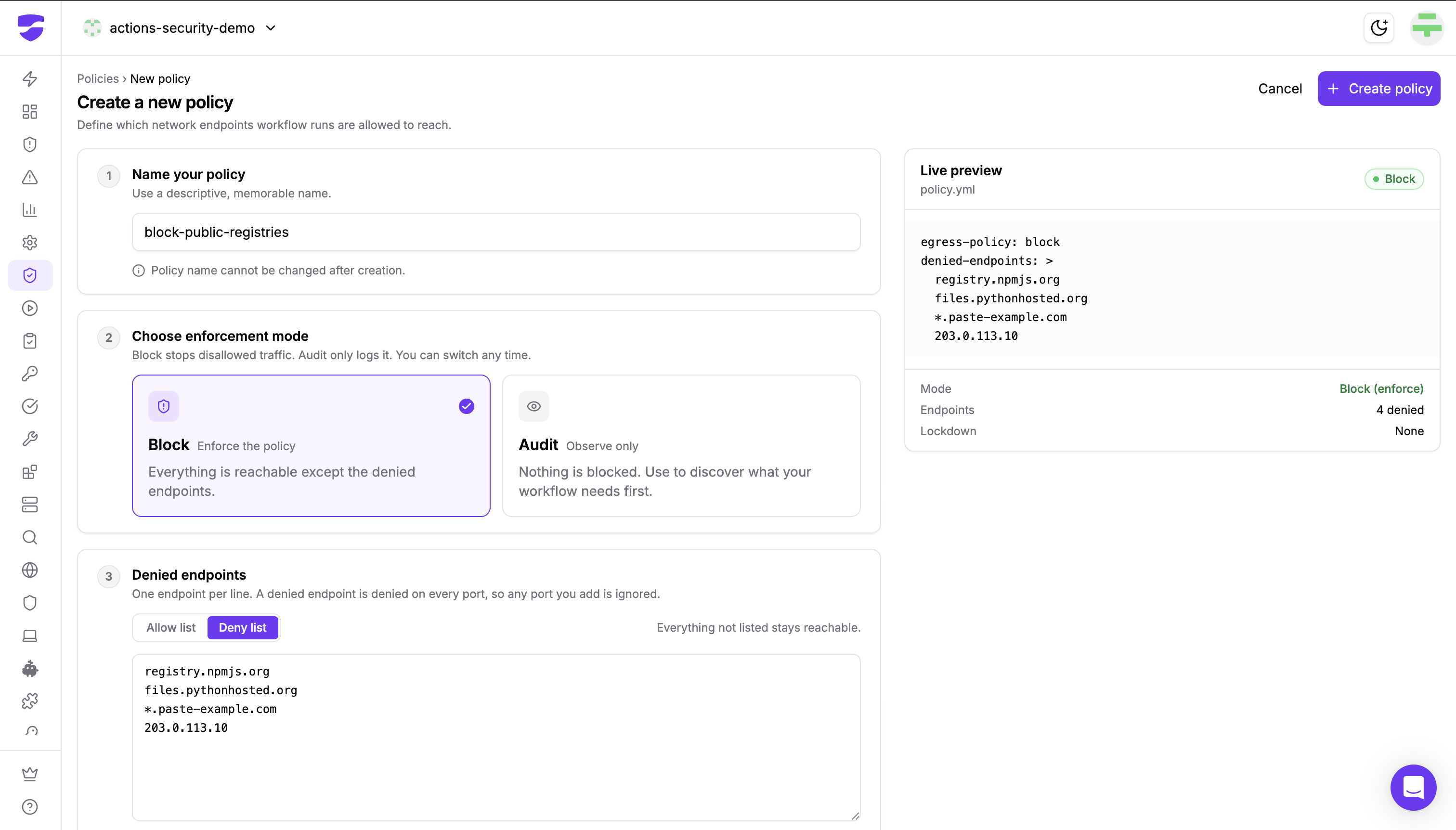
Start in the Policy Store rather than in workflow files. Create a policy, switch the endpoint list to Deny list, and attach it at an organization or cluster scope so it applies without workflow edits. Then verify: run a job, confirm your builds still pass, and check that a deliberate call to a denied destination is blocked and appears in the run's network events.
Follow this interactive walkthrough to create and attach a deny list policy:
Configuration reference, including the minimum agent version each deployment option needs, is in the Policy Store documentation.
Harden-Runner is open source. View it on GitHub
Not sure what your runners are contacting today? Run a free GitHub Actions Audit across your organization.
Want deny lists enforced org-wide without touching workflow files? Start free or request a demo.