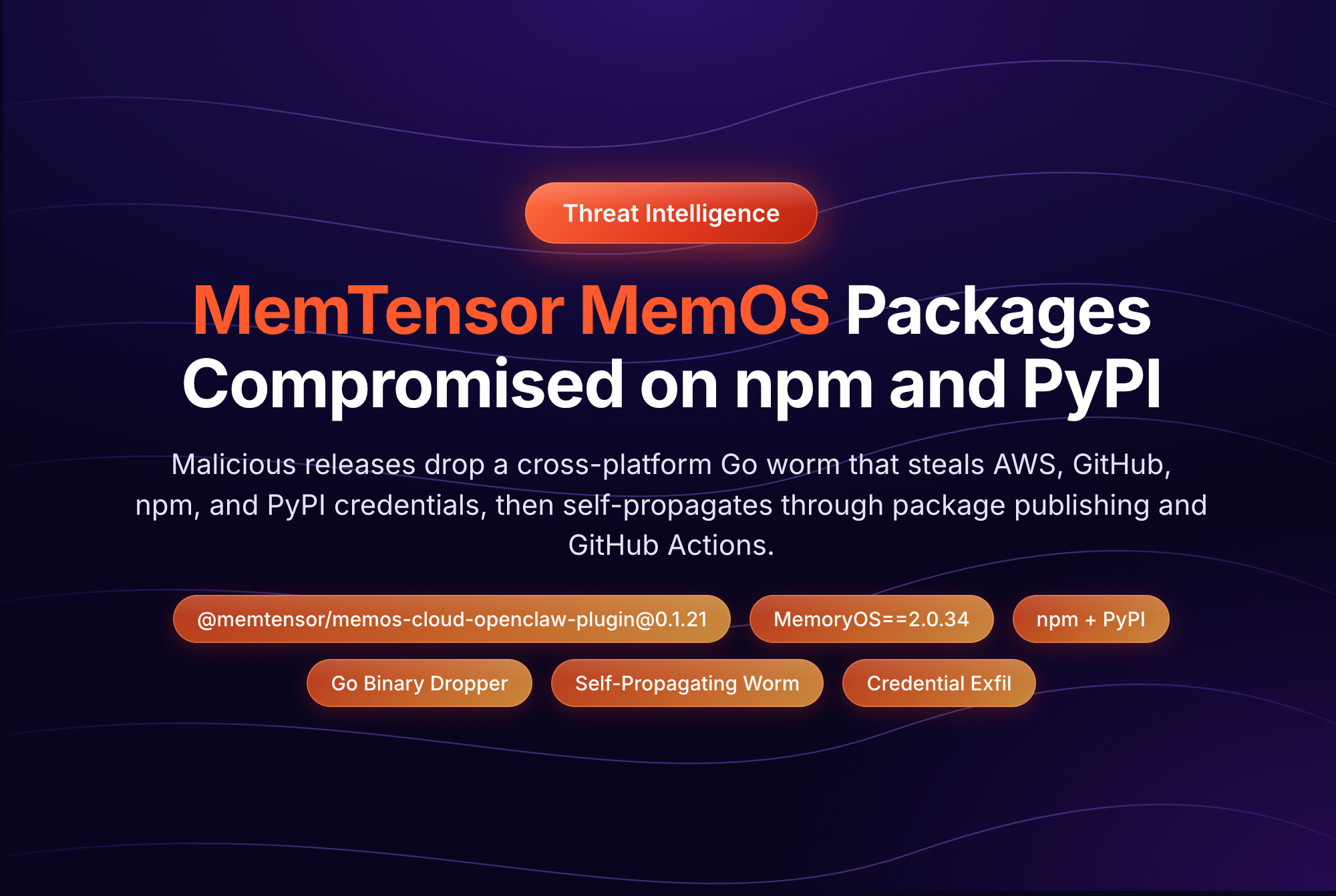
Last week, the TeamPCP threat group published malicious versions of several @tanstack npm packages. The packages, collectively downloaded millions of times per week, carried a self-propagating worm that steals CI/CD credentials and uses them to publish infected versions of every package the compromised maintainer controls. The worm, called Mini Shai-Hulud, then spread to packages from UiPath, DraftLab, and other maintainers. In an unusually severe escalation, the compromised packages carried valid SLSA Build Level 3 provenance attestations, making this the first documented npm worm to produce validly-attested malicious packages.
This is the new shape of supply chain attacks. They are fast. The gap between a malicious version landing on the registry and it being pulled into thousands of builds is often hours, sometimes minutes. They are self-propagating, with one compromised maintainer cascading into dozens of compromised packages. And they bypass the controls most teams rely on, because by the time a security tool flags a version, your CI has already installed it.
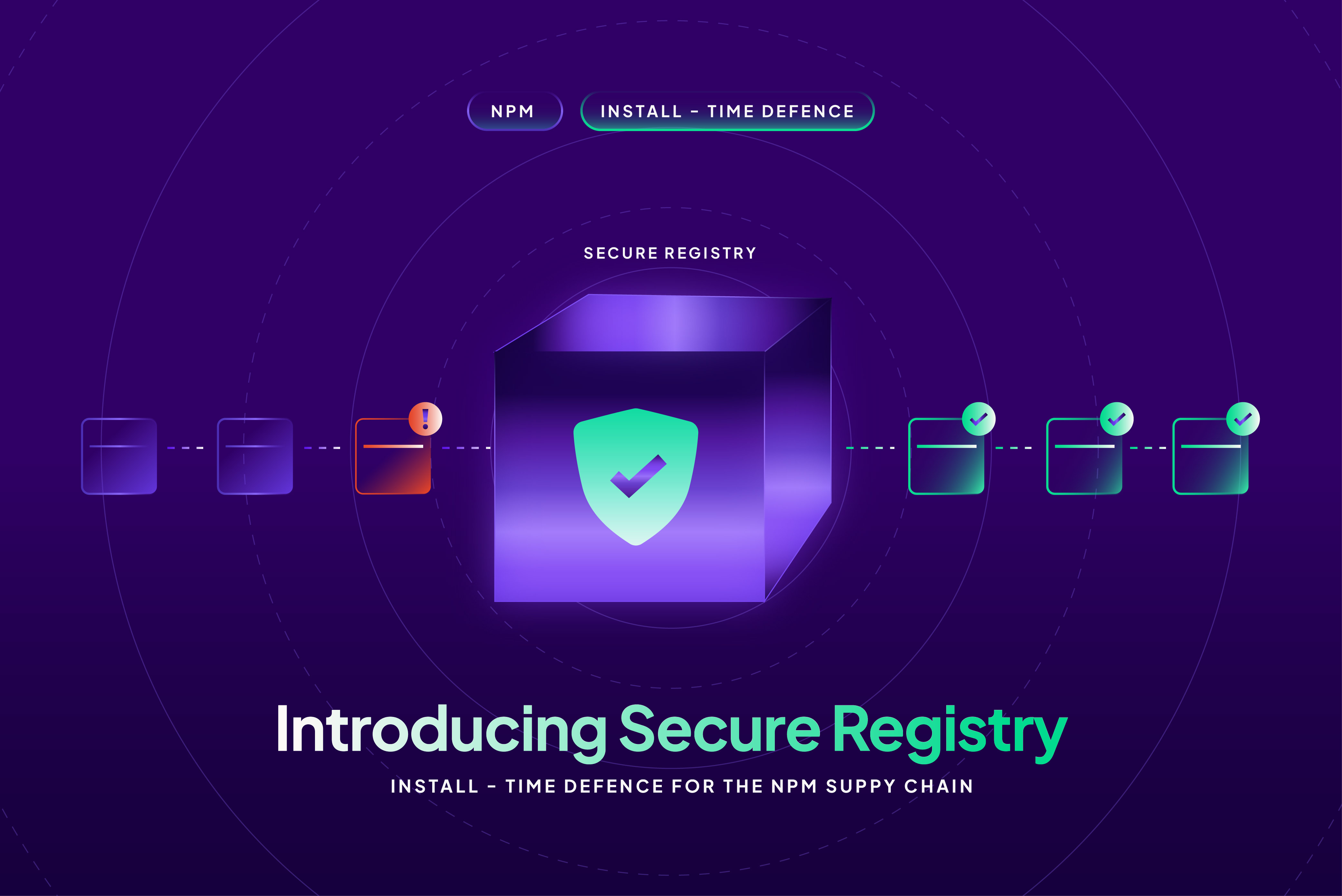
Today we're announcing Secure Registry, a new StepSecurity product that closes this gap.
Secure Registry is an authenticated upstream registry that sits between your developers, CI runners, and the public package registries. Every metadata request and tarball download flows through Secure Registry, which evaluates it against your configured security controls before returning a response. Requests that violate a control are blocked or modified at install time, regardless of whether the install runs in CI, on a developer's laptop, or through your artifact manager.
Why install-time enforcement matters
Most supply chain controls in the industry today are pull-request controls. A scanner inspects manifest and lockfile changes, flags a known-bad package, and fails a check. That model works well when dependencies enter your codebase through reviewed code changes, but in practice, a lot of installs happen outside that path:
- A developer runs npm install locally with a floating semver range and pulls in a fresh version that wasn't in the lockfile.
- A CI job runs on a clean checkout and resolves dependencies without going through PR review.
- An ad-hoc script in a workflow installs a tool globally.
- A new repository is bootstrapped from a template before any PR controls are configured.
Each of these is an install-time event that PR-stage scanning never sees. Worse, even when PR controls are in place, they only catch known-bad packages: packages that have already been reported, analyzed, and added to a database. The Mini Shai-Hulud attack moved faster than that database could update.
Secure Registry sits at the install-time layer and applies controls to every request, every time. The same controls protect your CI runners, your developer laptops, and your artifact managers, with one configuration.
How it works
Secure Registry runs as an authenticated proxy in front of the npm registry. The integration model is intentionally simple. You don't change how your developers or CI install packages, only where the requests go.
- Configure your clients. Point your developers' npm clients, your CI runners, or your artifact repository manager (JFrog Artifactory, Google Artifact Registry) at the Secure Registry URL as the upstream registry.
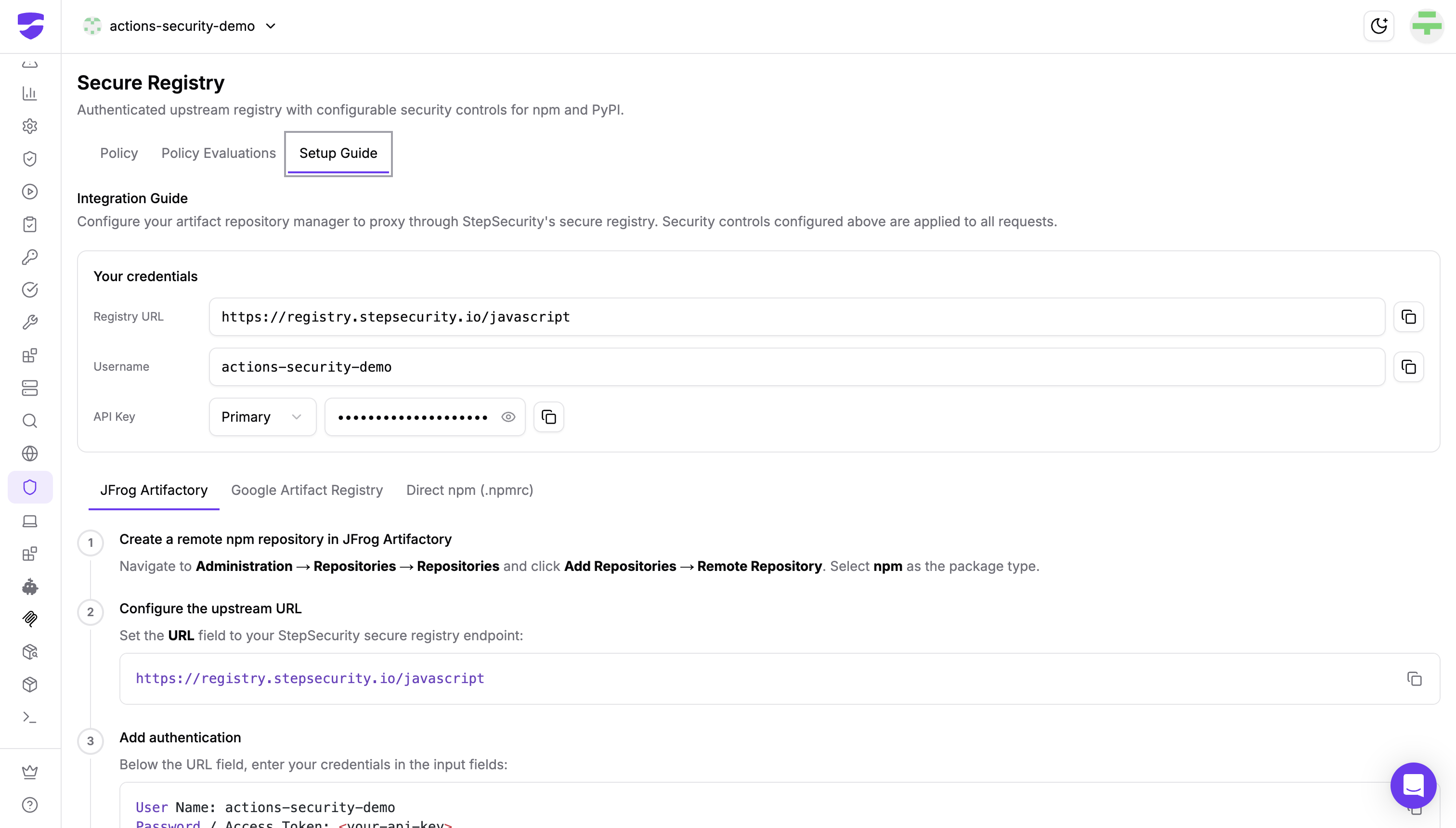
- Requests flow through. Every npm metadata request and tarball download is evaluated against the security controls you've enabled.
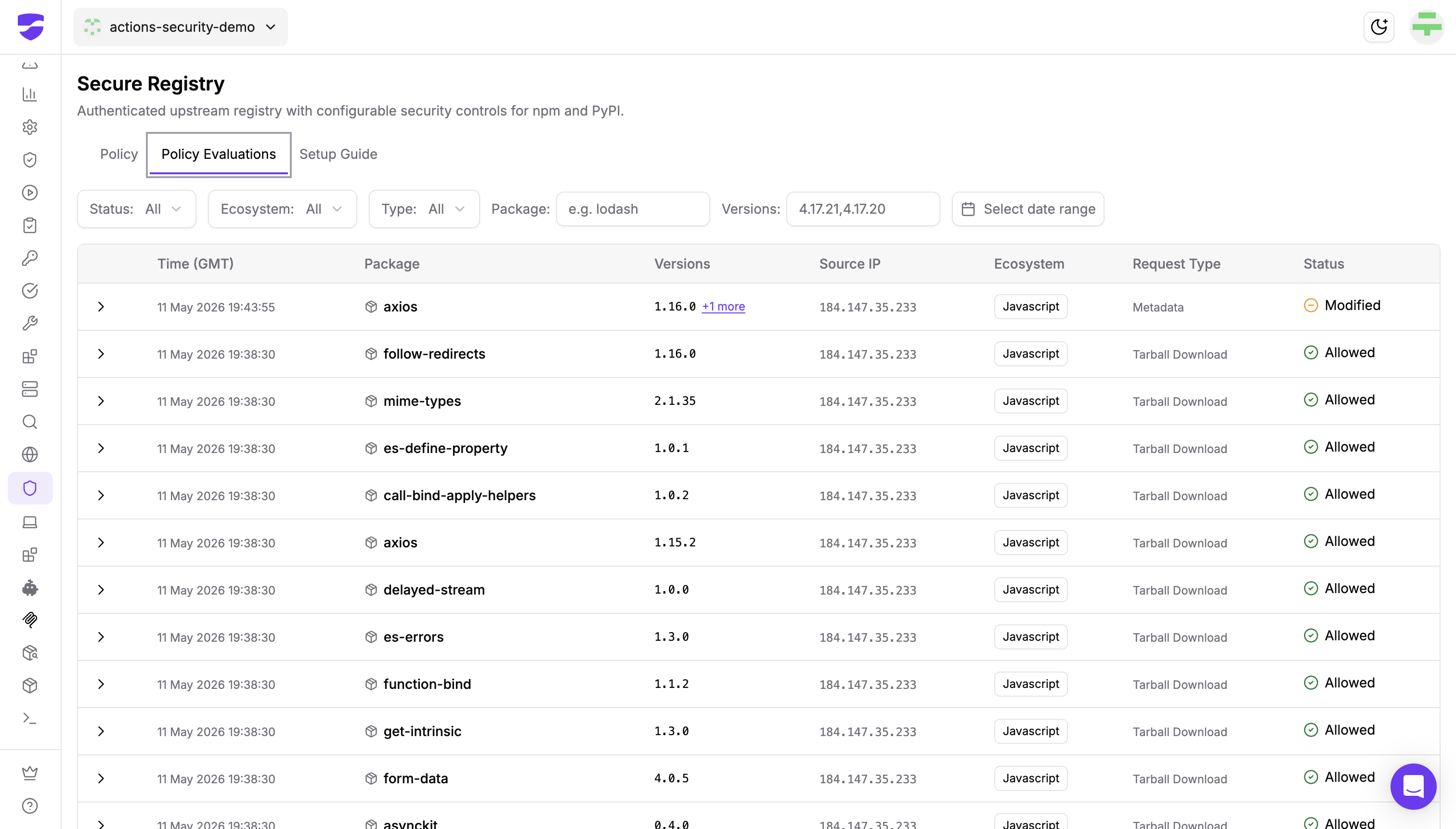
- Evaluations are logged. Each request, with its evaluation result, appears in the Policy Evaluations log in your StepSecurity dashboard.
Setup is documented in-app under the Setup Guide tab, with three integration paths depending on how packages reach your environment: JFrog Artifactory, Google Artifact Registry, or direct .npmrc configuration. The Setup Guide also includes a short test sequence to confirm requests are flowing through Secure Registry once you're configured. Primary and secondary API keys are supported so you can rotate credentials without downtime.
Security controls at launch
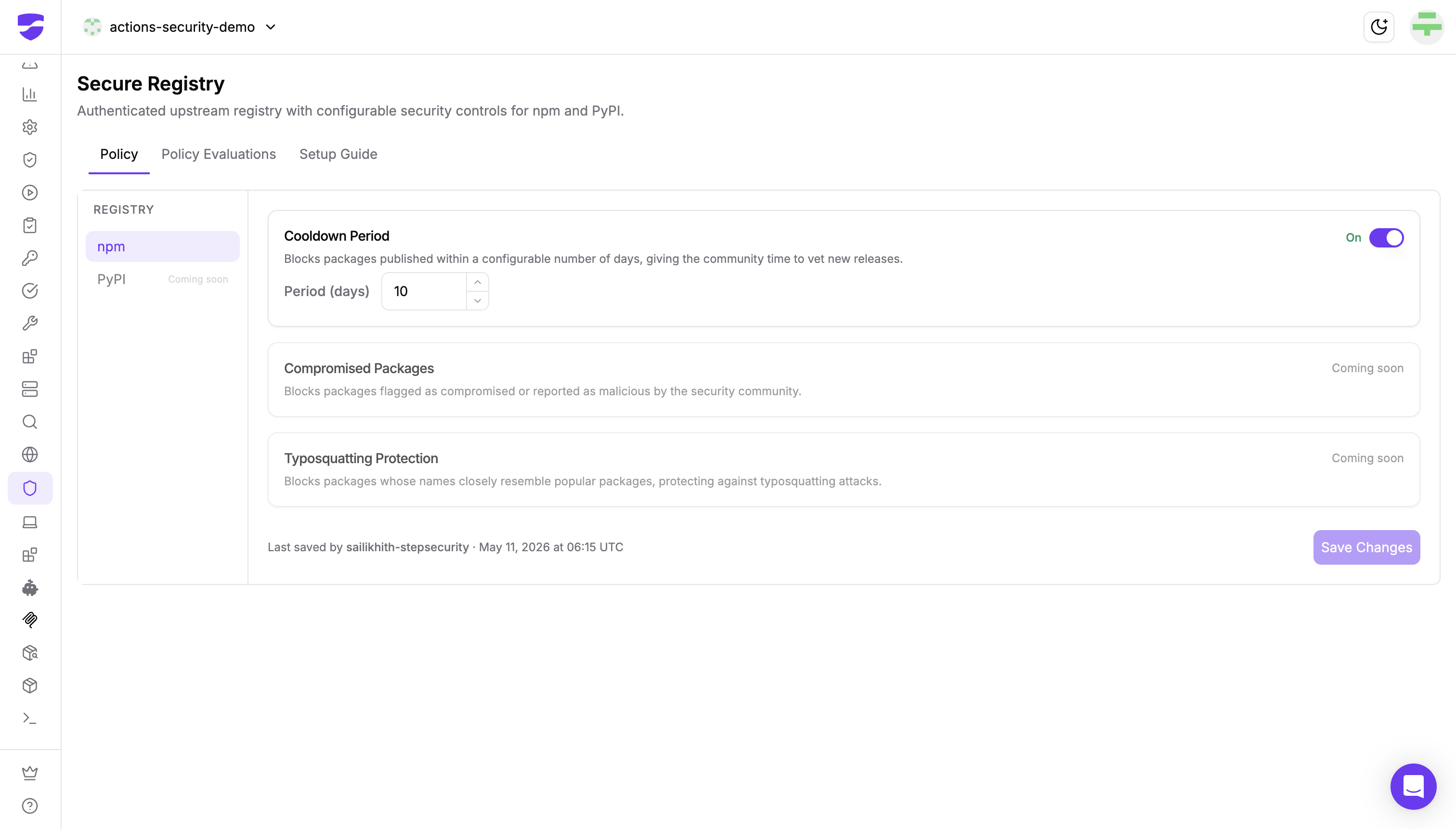
Secure Registry ships with a layered set of controls you can toggle per ecosystem. The first control, Cooldown Period, is available today. Two more are coming soon.
Cooldown Period (available)
Blocks packages published within a configurable number of days, giving the community and StepSecurity's SOC time to vet new releases before they reach your environment.
Cooldown is the most effective first line of defense against zero-day supply chain attacks. The reason is structural: most malicious npm packages are discovered within 24 hours of publication, either by community researchers or by automated analysis pipelines like StepSecurity's. A multi-day cooldown shifts the discovery window outside your installation window. By the time your environment can install a new version, it has already been seen, scanned, and either confirmed safe or flagged as malicious.
The cooldown window is configurable. The default is 10 days, which we recommend for most environments. Teams that need access to the latest releases for specific packages can adjust the window, scope cooldown by ecosystem, or pair it with the other controls below.
When a metadata request is filtered by cooldown, Secure Registry returns a modified response with the recent versions removed. The client sees only versions older than the cooldown window, and dependency resolution proceeds normally against those. No client-side changes are needed.
Compromised Packages (coming soon)
Blocks packages flagged as compromised or reported as malicious by StepSecurity's SOC and the broader security community. Where Cooldown shifts the discovery window, the Compromised Packages control acts on the discovery itself: packages confirmed malicious are blocked outright, even if they fall outside the cooldown period.
Typosquatting Protection (coming soon)
Blocks packages whose names closely resemble popular packages, protecting against typosquatting attacks where an attacker publishes a package called lodahs or reqeusts and waits for a typo in someone's install command.
How Secure Registry compares to GitHub Checks
Secure Registry complements, rather than replaces, StepSecurity's existing GitHub Checks controls, specifically Package Cooldown and Package Compromised Updates, which scan pull requests for the same risks. The two enforce at different points in the dependency lifecycle:
Using both gives you layered protection. GitHub Checks catches risks the moment they're introduced into a codebase, with full PR context and a clear remediation path. Secure Registry catches everything else: installs that bypass PR review, fresh clones with floating versions, developer machines, and ad-hoc workflow scripts. Neither layer alone is sufficient for the threat model represented by Shai-Hulud and Mini Shai-Hulud; together, they close the gap.
Availability
Secure Registry is available today for Enterprise customers, with npm support generally available and PyPI support coming soon. To get started, open the Secure Registry page in your StepSecurity dashboard and follow the in-app Setup Guide. If you're not yet on the Enterprise tier and want to evaluate Secure Registry, start a 14-day free trial.
The npm ecosystem will not get safer on its own. Worms like Shai-Hulud and Mini Shai-Hulud are not anomalies; they are the new baseline for how supply chain attacks operate.
The defenses have to operate at the same layer the attacks do. At install time, that means a registry-level checkpoint - and if your pipeline doesn't have one, you're relying on trust all the way down.