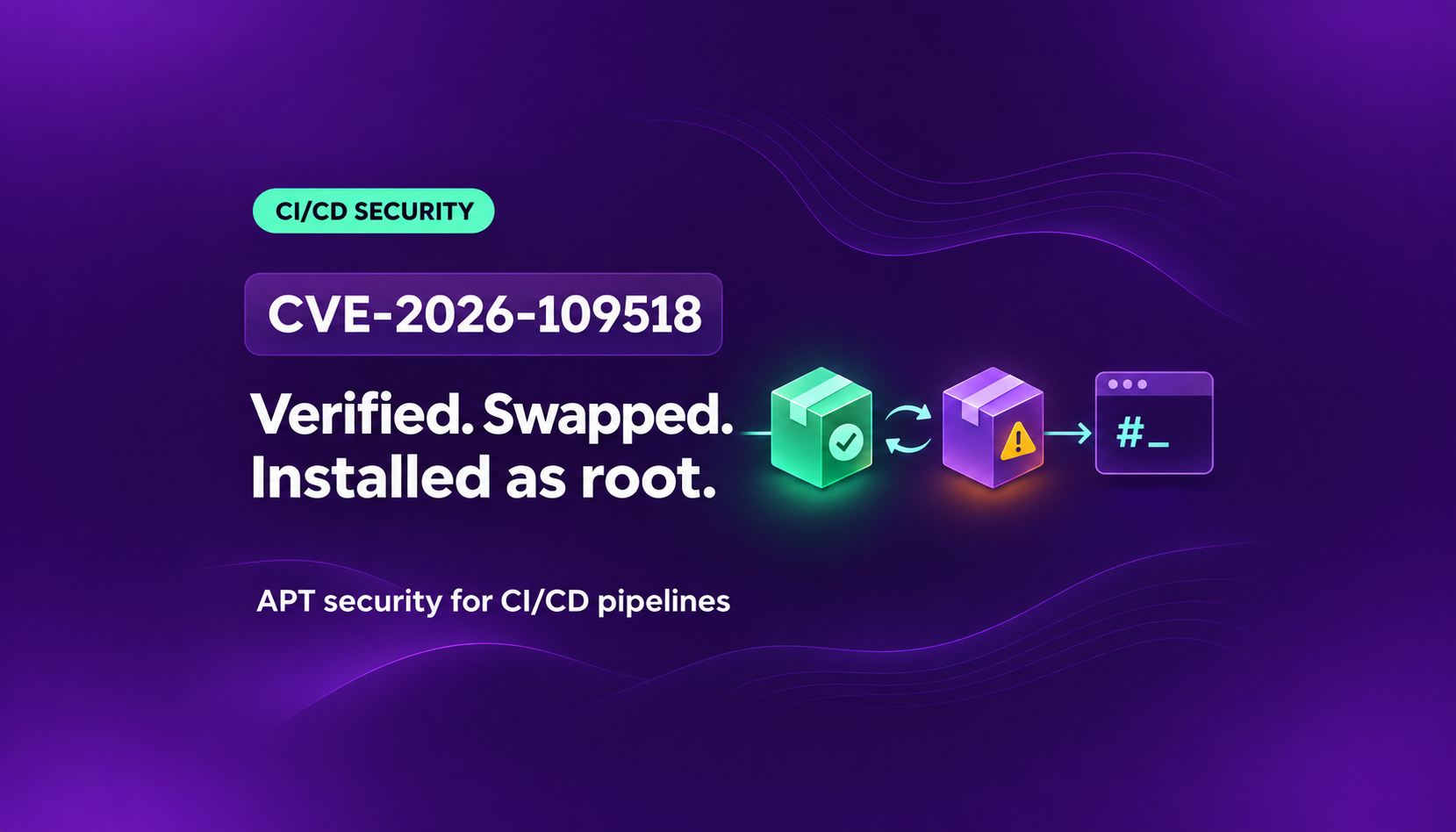
On November 4, 2026, Debian and Ubuntu shipped fixes for CVE-2026-109518, a flaw in apt, the package manager used by Debian, Ubuntu, and most of their derivatives. An attacker who can tamper with the network traffic between a machine and its package mirror can swap a package after apt has verified it. Packages install as root, so the attacker's code runs with full control of the machine.
The flaw was found by Max Justicz, who also found CVE-2019-3462, a similar apt bug, in 2019. Both bugs involve APT’s HTTP download handling and undermine the verification that normally protects package installation.
This matters for CI/CD. sudo apt-get install is one of the most common steps in GitHub Actions workflows, Dockerfiles, and runner images. This post explains how the attack works, who is exposed, and the steps to take on self-hosted runners, GitHub-hosted runners, container images, package mirrors, and developer machines.
Why apt Trusts Plain HTTP
Many Debian and Ubuntu systems fetch packages over plain HTTP. This is intended. apt does not rely on the connection to keep packages safe. It relies on signatures.
Each repository publishes a Release or InRelease file that lists every package index and its expected hash. That file is signed with the repository's PGP key. apt checks the signature, then checks every file it downloads against the expected hash. If anyone changes a package on the way, the hash does not match and apt refuses to install it.
This design means any attacker who can tamper with the connection still cannot get a modified package installed. CVE-2026-109518 breaks that promise. The hash check still runs and still passes. The problem is that the file apt installs is no longer the file it checked.
How the Attack Works
The bug sits in the code that resumes interrupted downloads. When a package download fails partway through, apt retries it and picks up where it left off instead of starting over. Since apt 2.3.2, which shipped in Debian 12 and Ubuntu 22.04, apt retries failed downloads three times by default (Acquire::Retries "3").
According to the Debian advisory and Ubuntu advisory, an attacker in the middle can abuse this in three steps:
- Merge two downloads. The attacker answers two different package requests with HTTP redirects that point to the same URL. apt now treats the two downloads as one file.
- Force a retry. The attacker answers with ordinary temporary HTTP server errors, so apt retries and resumes the download. Because the attacker controls the traffic, they can trigger this whenever they want.
- Swap the file after the check. apt mishandles the hard links it uses for the merged download. After apt has verified the hash, the resumed transfer overwrites the hard-linked file with the attacker's payload. apt then installs the attacker's file.
This is a time-of-check to time-of-use bug. The signature and hash checks work as designed. They just check a file that is replaced before it is used.
The bug is in apt's HTTP download code, so it affects every apt front end: apt, apt-get, aptitude, and the graphical software tools. Snap packages and FTP sources are not affected.
What the attacker needs
- Control of the HTTP traffic between the machine and its package source. This can be a compromised network, a malicious or compromised mirror, or a proxy or package cache in the path.
- apt retries turned on. Any non-zero
Acquire::Retriesvalue. This is the default on Debian 12+ and Ubuntu 22.04+. On older releases, the apt maintainers note that many user scripts set it anyway. - A package install to trigger. Any
apt-get installorapt-get upgradethat downloads packages.
Why the Impact Is Root Code Execution
Packages install as root. sudo apt install runs dpkg as root, and dpkg runs the package's maintainer scripts, such as postinst, as root. An attacker who swaps in their own package gets their own postinst script run with full control of the machine.
On a CI runner, that means access to everything the job can reach: the source code, the GITHUB_TOKEN, cloud credentials, signing keys, and every secret passed to the job. In a Docker build, the attacker's code ends up baked into an image that is then shipped and run elsewhere. On a developer laptop, it means a full compromise of the machine and the credentials stored on it.
Where CI/CD Pipelines Are Exposed
Most pipelines are not on a hostile coffee-shop network, so it helps to be specific about where an attacker could sit in the path:
- Self-hosted runners on shared or flat networks, where another compromised host can intercept traffic.
- Package mirrors, caches, and proxies. A malicious mirror or a proxy that can manipulate responses can exploit a vulnerable APT client. Review both the runner-to-cache and cache-to-upstream paths; the precise exposure depends on the proxy’s behavior and transport configuration.
- Corporate egress proxies that see or terminate all outbound traffic.
- Docker builds that run
apt-get installon build hosts with any of the above in the path. - GitHub-hosted runners that have an affected APT version and retries enabled. Exploitation still requires control of package responses, for example through an on-path attacker or malicious mirror. Check the APT version in the actual job rather than assuming the runner label guarantees a patched image.
Fixed Versions
Upgrade apt to at least the following versions:
Ubuntu 20.04 and older LTS releases have fixes through Ubuntu Pro. Those releases set Acquire::Retries to zero by default, so they are only exposed if someone raised it. Check before you assume they are safe: CI scripts and Dockerfiles often raise the retry count to cope with flaky mirrors.
To check a machine's apt version and retry setting:
apt list --installed '?source-package(^apt$)'
apt-config dump | grep -i 'Acquire::Retries'
What to Do Now
1. Self-hosted runners and build VMs
Update apt in your runner images, rebuild them, and roll out new pods or VMs. Patching a running runner is not enough if new runners still boot from the old image.
sudo apt-get update
sudo apt-get upgrade -y -o Acquire::Retries=0
If you cannot upgrade every package, upgrade only apt:
sudo apt-get update
sudo apt-get install -y -o Acquire::Retries=0 --only-upgrade apt
2. Package mirrors and proxies
Patch APT on every runner, build container, and other client that installs packages through your mirror or proxy. Updating APT only on the proxy host does not patch its clients. Use HTTPS for upstream and downstream connections where supported, keep the proxy software current, and review TLS termination points. A malicious mirror or trusted TLS-terminating proxy is still a reason to patch APT itself.
3. GitHub-hosted runners
Check the installed APT version in your workflow and consult the GitHub runner-image release notes. Image rollouts change over time. If the runner is not yet patched, disable retries before any step that installs packages:
- name: Disable apt retries (CVE-2026-109518)
  run: echo 'Acquire::Retries "0";' | sudo tee /etc/apt/apt.conf.d/99-no-retries

- name: Install dependencies
  run: |
    sudo apt-get update
    sudo apt-get install -y libssl-dev
The trade-off: with retries off, a flaky mirror fails the job instead of retrying. That is a reasonable price until the images are updated.
4. Docker images
Rebuild your images from fresh debian and ubuntu base images once they include the fixed apt. Use docker build --pull --no-cache so you do not reuse a cached layer with the old apt, and check the installed APT version in the resulting image. A recent tag or image build date is not a substitute for that check. Until a base image is patched, turn off retries in the Dockerfile before the first apt-get and upgrade apt:
RUN echo 'Acquire::Retries "0";' > /etc/apt/apt.conf.d/99-no-retries \
 && apt-get update \
 && apt-get install --only-upgrade -y apt
5. Linux developer machines
Developer laptops and workstations running Debian or Ubuntu need the same update. Automatic security updates depend on local configuration and when a machine is online; verify the installed version rather than assuming an update has already run. Rebuild ephemeral runner and container images explicitly. If you use StepSecurity Dev Machine Guard, use the software inventory to find machines with an old apt version and update them.
Find and Hunt with Harden-Runner
Find which jobs pull apt packages over HTTP
Harden-Runner provides outbound network telemetry with process and workflow-step context. Start by filtering for your Debian and Ubuntu mirror hostnames on port 80, then correlate the events with APT processes and package-install steps. Review custom mirrors, proxies, and nonstandard HTTP ports too. These matches help prioritize version and configuration checks; HTTP traffic alone does not prove that a job is vulnerable or compromised.
About these screenshots: The examples below are from an April 22, 2026 run of a separate KICS image-analysis workflow. They illustrate how to locate APT traffic, not a reproduction or detection of CVE-2026-109518.
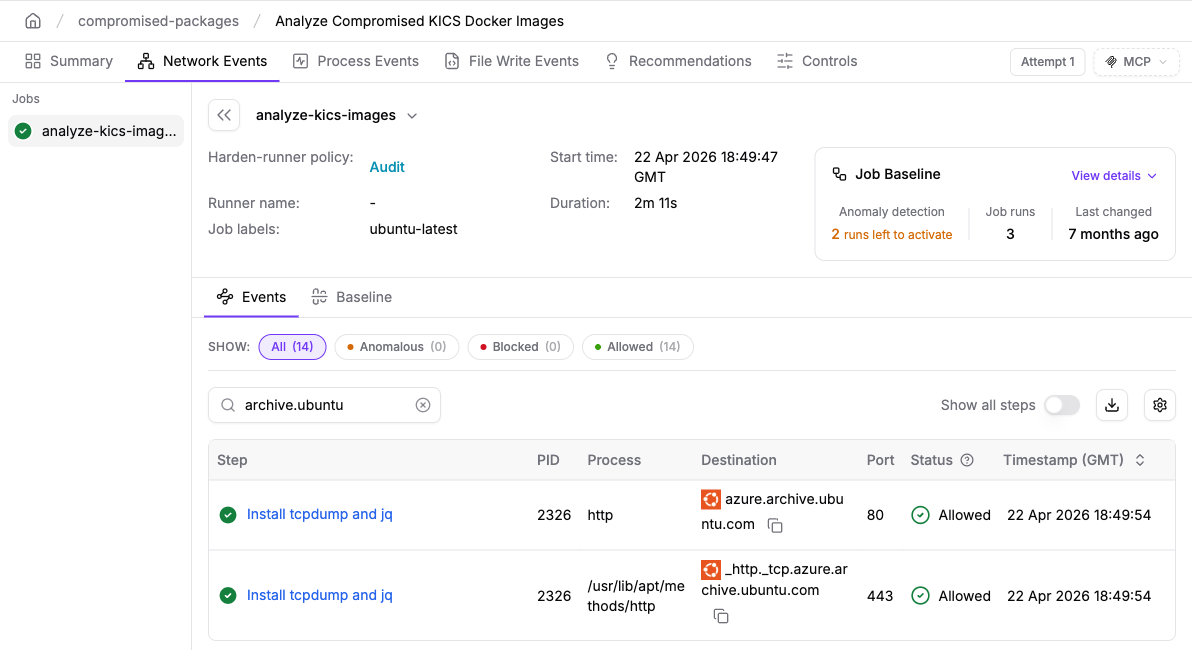
ubuntu-latest job. apt's http method fetches packages from azure.archive.ubuntu.com on port 80 during an apt-get install step.The baseline view helps investigate recurring destinations. This screenshot shows three recorded calls to the Ubuntu mirror on port 80 and a baseline based on three job runs. The baseline is still in its learning phase, with two runs left before anomaly detection activates. Review individual runs before concluding how consistently a destination is used.

azure.archive.ubuntu.com:80 with three recorded calls. Anomaly detection is not yet active in this example.Block mode users: update allowed endpoints when you move to HTTPS
If you switch your apt sources to HTTPS, the mirror connections move from port 80 to port 443. Update your allowed-endpoints to match, or the job will be blocked:
# Before (HTTP)
allowed-endpoints: >
  deb.debian.org:80

# After (HTTPS)
allowed-endpoints: >
  deb.debian.org:443
What this control does: Network visibility helps identify HTTP package downloads, and an appropriately configured egress policy can restrict unexpected outbound destinations. An allowed package-mirror connection does not, by itself, distinguish a legitimate package from a malicious response. Harden-Runner complements the APT patch; it does not replace it.
Hunt for signs of exploitation
A swapped package can run its payload from a maintainer script. In Harden-Runner process events, look for package install scripts (postinst, preinst) under dpkg that launch curl, wget, bash, or base64. Some legitimate packages call these tools, so focus on scripts that download and run code or decode data, and on new outbound destinations that appear during an apt step.
Long-Term Hardening
- Use HTTPS for all apt sources. Signatures protect what a package contains. HTTPS protects the transfer itself, and Canonical confirms it blocks an on-path attacker from exploiting this bug. It does not protect you from a malicious mirror or a proxy that terminates TLS, so patching apt is still required. Some community mirrors do not support HTTPS, so run
apt updateafter switching and check for errors. - Run Harden-Runner on every workflow. Network and process telemetry helps you find jobs that need investigation and examine suspicious activity when the next vulnerability like this is disclosed.
- Rebuild images on a schedule. Runner images and container base images that are rebuilt regularly pick up fixes like this one without a fire drill.