On November 10, 2026, the React team published CVE-2026-126187 through GitHub's CNA. The bug is unauthenticated remote code execution in React Server Components (RSC). CVSS 4.0 scores this flaw 9.5, Critical. Three bundler packages implementing the RSC Flight transport are affected: react-server-dom-webpack, react-server-dom-parcel, and react-server-dom-turbopack. Fixes shipped the same day across four release lines. The advisory names one precondition: responses must "transport multiple typed arrays and an attacker-controlled value."
This post walks you through the bug, the fix, and the checks for your repositories. The analysis reconstructs the flaw from the five backport pull requests (#37842 through #37846, "[Flight] Improve transport protocol"), verifies each layer against the published npm builds (19.2.8 versus 19.2.9), and reproduces the full chain in a local lab, from a real server render to arbitrary module execution. React fixed a related Flight flaw, CVE-2025-55182 (CVSS 10.0), in December 2025. This is the second serious Flight bug in twelve months.
At a glance
- CVE: CVE-2026-126187 (GHSA-xqc2-xf4c-x3h3), CWE-502, deserialization of untrusted data
- Severity: CVSS 4.0 9.5 Critical. Network, no auth, no user interaction. Preconditions required.
- Components: react-server-dom-webpack, react-server-dom-parcel, react-server-dom-turbopack (server writer plus Flight client)
- Impact: arbitrary module execution from the application's own bundle, through a corrupted RSC response. Server-side in SSR and edge rendering contexts.
- Affected: 19.0.0 to 19.0.8, 19.1.0 to 19.1.9, 19.2.0 to 19.2.8, 19.3.0
- Fixed: 19.0.9, 19.1.10, 19.2.9, 19.3.1 (published November 10, 2026)
- Preconditions: one response carrying multiple typed-array views over one shared ArrayBuffer, attacker-influenced bytes inside one view, and a consumer path transferring backing stores
- Not affected: client-only React apps with no server, and apps with no RSC-capable framework or bundler plugin
How Flight talks
RSC streams UI as rows. Text rows are line-delimited JSON. Binary rows carry typed arrays, Blobs, and special text, with a hex byte count and no trailing newline. This payload came from renderToPipeableStream in the lab:
:N1794388011926.9922\n
1:I["victim-module",[],"*"]\n
2:o4,ABCD0:{"msg":"hello","mod":"$1","ta":"$2"}\n
Two row types matter here. The module row, tagged I, tells the client to resolve a module reference through the bundler. In a webpack build, resolution ends in __webpack_require__(id), and the module runs. The binary row, tagged o for Uint8Array, promises an exact byte count. The parser consumes those bytes as data, whatever the bytes contain.
Why the writer emits a promise and no bytes
When the Flight writer serializes a typed array larger than 2048 bytes, no copy happens. The writer wraps the application's own ArrayBuffer in a view and hands the view straight to the destination. Instrumenting the boundary for two 4096-byte views over one shared 8192-byte buffer shows the difference between builds:
19.2.8:  write: byteLength=4096  bufferByteLength=8192   <- live shared buffer
19.2.9:  write: byteLength=4096  bufferByteLength=4096   <- exact-size copy
What the attacker needs: one response transporting multiple views over one ArrayBuffer, and one downstream consumer taking ownership of the bytes. Fetch bodies, BYOB readers, and edge-runtime transfer boundaries are possible paths. The reproduction below simulates the transfer deterministically. Which production consumers detach backing stores is deployment-specific, and this uncertainty is part of why the advisory calls the triggering conditions rare.
The vulnerable writer's large-chunk path skips zero-length chunks silently. The guard reads 0 !== chunk.byteLength. The header string and the view are queued as two separate entries, so the skip drops the view while the header stays on the wire. The header promises 4096 bytes. No bytes follow. No error. No log.
Why the parser trusts the wrong bytes
The Flight client parser is a small state machine. Read a hex row id until a colon. Read a tag byte. Scan to a newline, or consume an exact byte count. On reaching a starved header, the parser consumes the next bytes in the stream, swallowing the headers and payloads of the rows following. The parser then resynchronizes at whatever offset the arithmetic lands on. Nothing binds those offsets to row boundaries. Nothing marks payload bytes as inert. The parser never scans content, because content is data. A framing bug moves the boundary, and data becomes protocol. Flight has a row type whose job is loading code. This row type is the sink.
How the attack works
Here is the geometry. The attacker controls the contents of one sibling typed array:
2:o1000,<4096 bytes arrived>
3:o1000,                                <- STARVED: 4096 promised, none arrive
4:{"more":"rows continue"}\n           <- swallowed as row 3 payload
5:o2000,<8192 bytes of attacker content>
        ^ parser resynchronizes inside this payload
Three details make the chain work. Each was confirmed in the reproduction.
- The starved row does not block the tree. The swallowed row does. The starved row resolves as a Uint8Array over swallowed bytes: wrong, but valid. The row whose header was eaten never resolves, and references to the swallowed row hang. This is the opening. A smuggled module row claims the swallowed row's id. The application then consumes the attacker's module where data should have been.
- Padding is part of the exploit. Filler bytes like 0x43, the letter C, are valid hex row-id characters. Trailing padding glues itself onto the next row id, and the root never parses. The attacker ends the payload with a tiny valid row, such as 5:0\n, so the parser resynchronizes exactly at the next legitimate byte.
- Module chunks initialize lazily. A module row executes when something consumes the chunk. The planted row must be reachable from a row the application reads. Root references are the natural vehicle. Row ids are assigned sequentially within a render, observed in every test render. Cross-request predictability was not tested.
The smuggled row is one line, 3:I["attacker-module",[],"*"]\n, planted at the exact resync offset inside attacker-controlled bytes.
Proof: the chain reproduced end to end
A lab reproduction built for this analysis demonstrates both layers. First, deterministically at the parser: the vulnerable 19.2.8 client executes a planted module row when fed the corrupted stream. The same attacker bytes under honest framing stay inert. Execution depends on the framing corruption, not on content scanning. Second, end to end against real writer output: a genuine renderToPipeableStream render on 19.2.8, a consumer transferring the backing store exactly as the fix's own error message describes, and the captured wire fed back into the client:
=== vulnerable writer 19.2.8, shared-buffer detach ===
[*] writer surfaced NO error (silent tolerance)
[*] wire captured: 12400 bytes
[!!] END-TO-END: victim module executed from the real rendered stream
On the patched 19.2.9 writer, the same render produces a fully satisfied wire. Every binary row's promised bytes are present. Large typed-array payloads are copied into exact-size buffers before crossing the destination boundary.
The trade-off: the patched parser still executes a deliberately corrupted stream. Mid-flight, a length-delimited protocol has no way to distinguish an honestly split stream from a corrupted one. The 19.2.9 fix rests on a writer-side invariant: the writer no longer produces a starved header. Any future bug reintroducing framing corruption, in React or in a framework wrapping React, inherits the parser's full trust.
Affected and fixed versions
| Package | Affected | Fixed |
|---|---|---|
react-server-dom-webpack | 19.0.0 to 19.0.8, 19.1.0 to 19.1.9, 19.2.0 to 19.2.8, 19.3.0 | 19.0.9 / 19.1.10 / 19.2.9 / 19.3.1 |
react-server-dom-parcel | same ranges | same fixes |
react-server-dom-turbopack | same ranges | same fixes |
Most teams consume these packages transitively through an RSC framework such as Next.js, React Router framework mode, or Vite RSC plugins. Upgrading the framework is the normal fix path. Verify with the commands below.
What to do now
1. Upgrade the framework and Flight packages
In applications depending on the packages directly, move every release line to a fixed version:
npm install [email protected] [email protected]For framework-managed installs, upgrade the framework, for example Next.js, and confirm a patched version resolves.
2. Verify exposure in every repository
Check what resolves, not what is declared. These packages almost always arrive transitively:
npm ls react-server-dom-webpack react-server-dom-parcel react-server-dom-turbopack
grep -E 'react-server-dom-(webpack|parcel|turbopack)' package-lock.json
A lockfile hit below the fixed versions means the repository renders with a vulnerable Flight writer.
3. Mitigate before you upgrade
The fix's own guidance works as a stopgap. Never transport multiple views of one ArrayBuffer in RSC payloads. Copy before rendering:
const safe = sharedView.slice()4. Watch for the corruption signature
Two signals reveal the corruption. First, a binary Flight row, id:o<len>, with a declared length exceeding the bytes following the row in a response. Second, clients logging "Connection closed" after responses carrying large typed arrays.
How StepSecurity helps
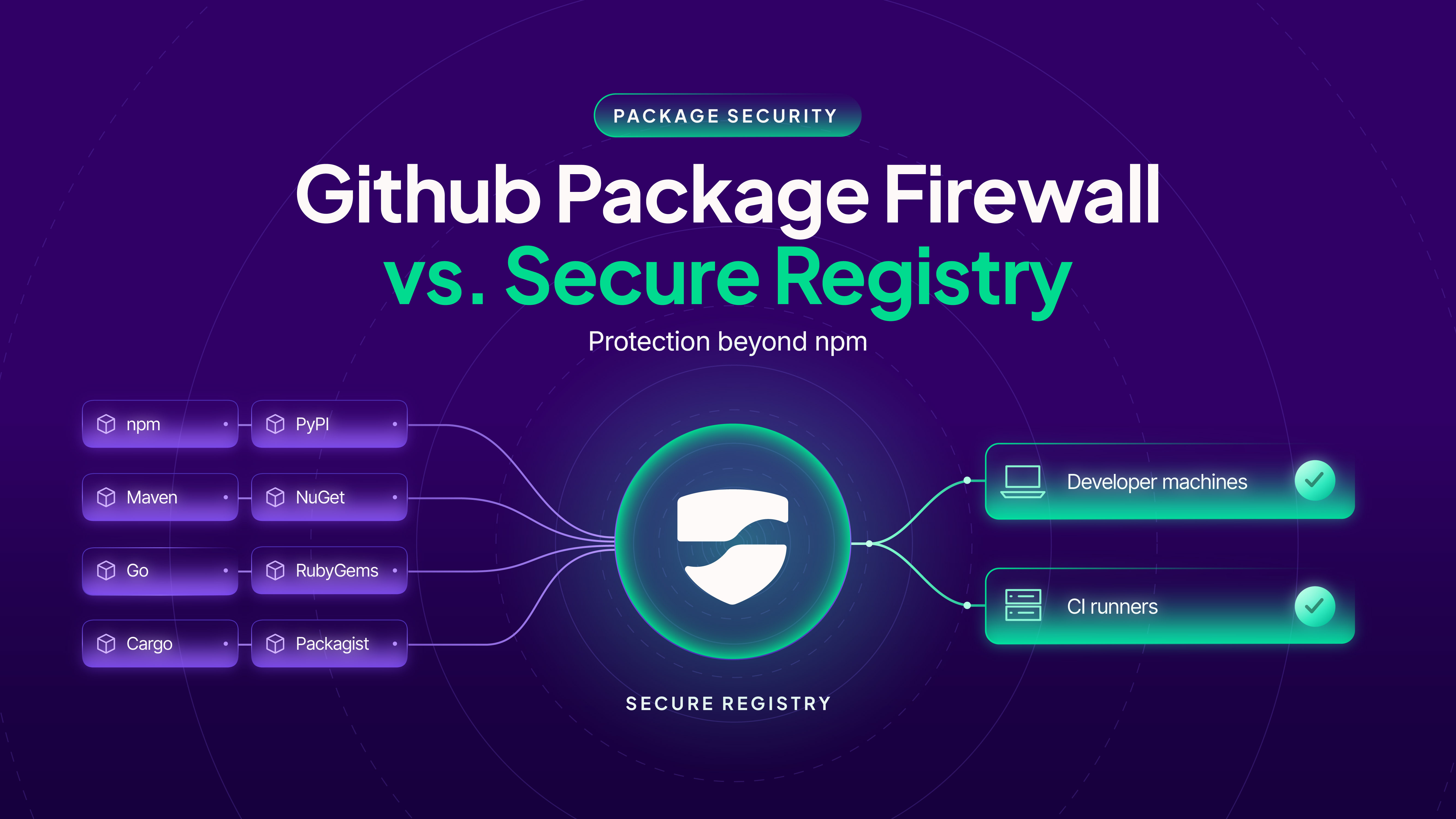
For CVE-2026-126187, the priority is to find affected React Server Components dependencies, upgrade them, and rebuild and redeploy the applications that use them. StepSecurity helps teams locate those dependencies across repositories and developer machines, trace package requests, and keep affected versions out of future installs through Secure Registry.
Find affected npm dependencies across your organization
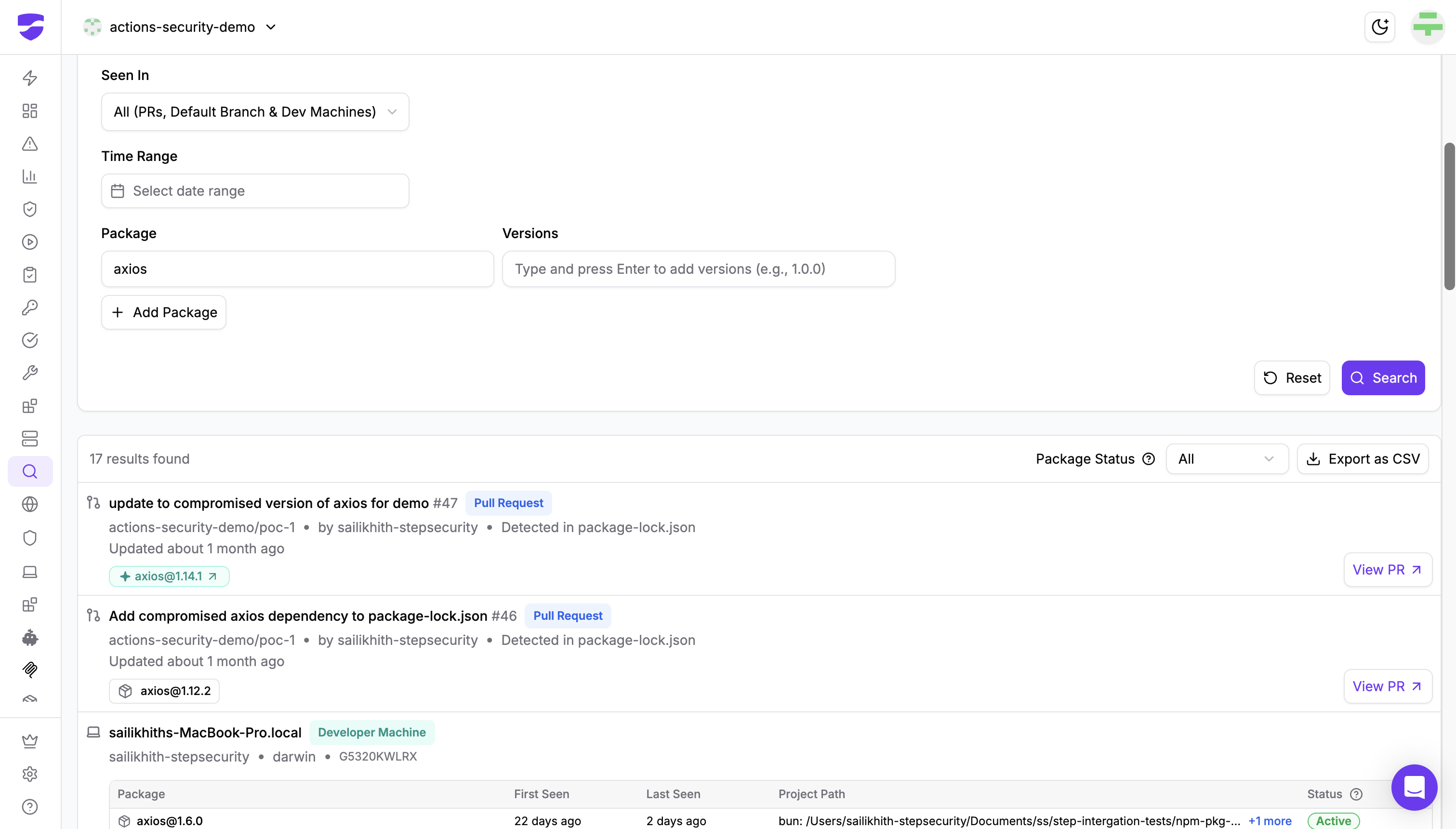
OSS Package Search, available to Enterprise customers, searches npm dependencies across indexed pull requests, default branches, and enrolled developer machines. It inspects supported lockfiles, including npm, Yarn, pnpm, and Bun lockfiles, so teams can find affected packages even when they arrive as transitive dependencies.
Select npm and Custom Search, then add react-server-dom-webpack, react-server-dom-parcel, and react-server-dom-turbopack. Compare the recorded versions with the affected ranges above, or add specific affected versions to narrow the search. Results identify the repository and source file or the developer machine and project path. Export the findings as CSV to coordinate upgrades with the responsible teams.
For a device-focused view, Dev Machine Guard's OSS Packages inventory shows the npm packages observed on enrolled machines, their detected versions, installation status, and device coverage. Select JavaScript, search for each Flight package, and open its details to review version distribution and the devices where it appears.
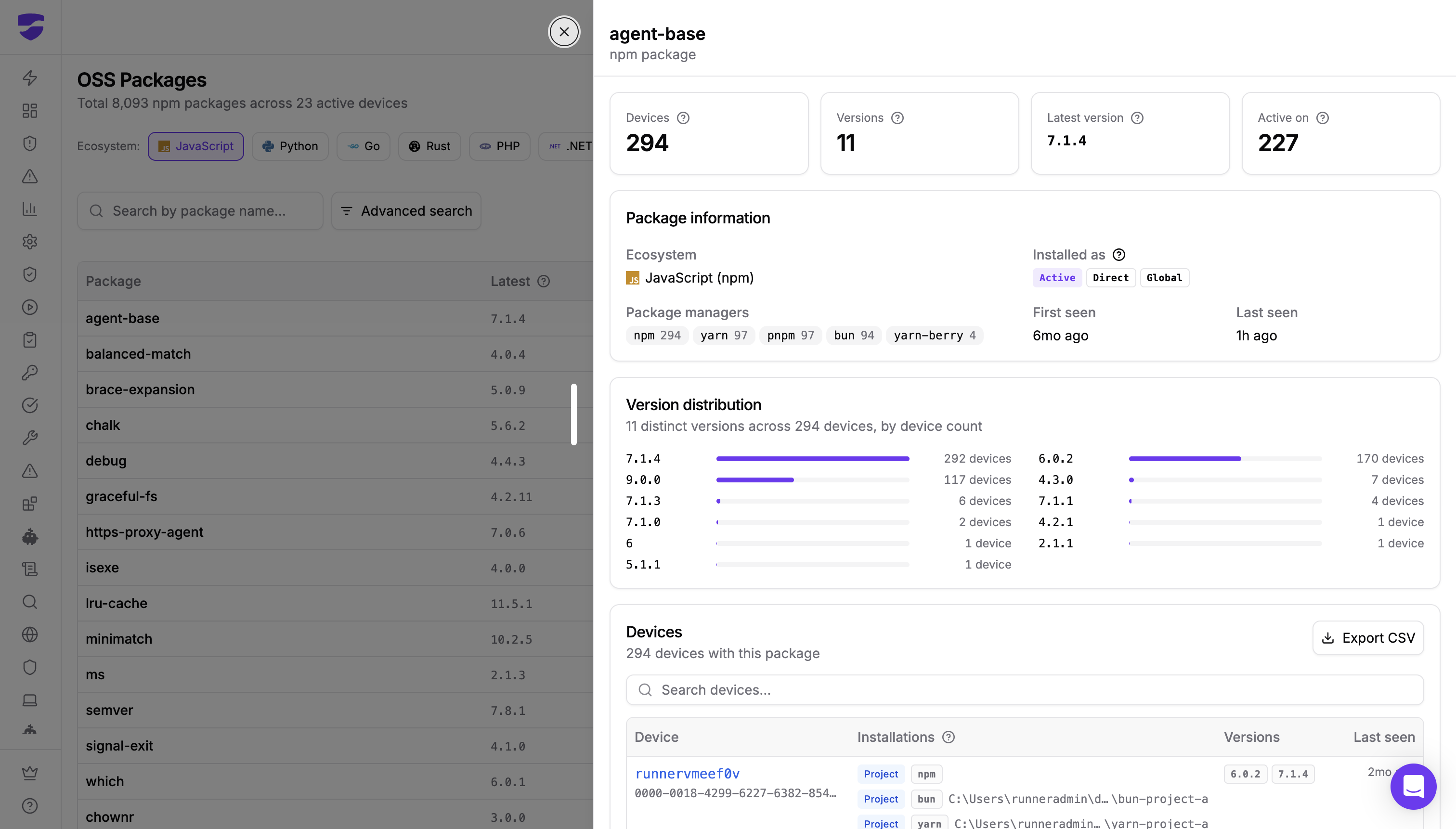
A matching version identifies a dependency to review and patch. It does not establish that the application meets this vulnerability's runtime preconditions or that exploitation has occurred. Confirm the resolved version in the application you build and deploy.
Trace vulnerable package requests with Secure Registry
Secure Registry Inventory, currently in Beta, lists packages requested through your registry, with version details, known vulnerabilities, and upgrade guidance. Search for the three Flight packages and inspect the versions requested. Once this advisory is available in the inventory's vulnerability data, Advisory ID search can also match CVE-2026-126187 or GHSA-xqc2-xf4c-x3h3.
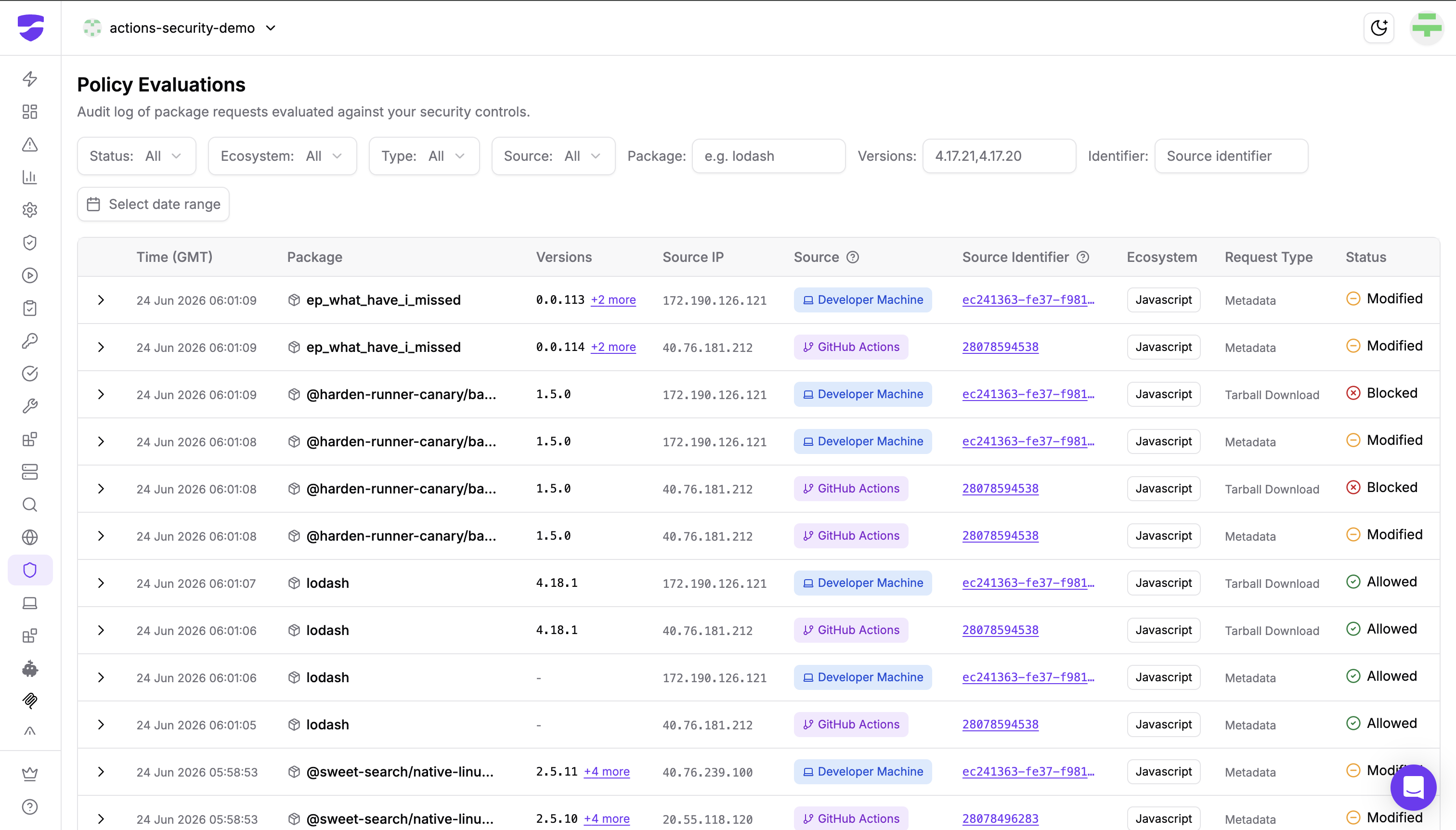
With source attribution configured, requests can be linked to the developer machine or GitHub Actions run that made them. Use Policy Evaluations to investigate individual allowed, modified, or blocked requests. Coverage starts at the inventory's Collected since date and includes requests routed through Secure Registry; use it alongside repository and device searches when assessing exposure.

Keep affected versions out of future installs
Secure Registry's Custom Block List lets administrators prevent specific packages or versions from being served. For this CVE, enable the control for npm, add the affected versions of all three Flight packages, and save the policy. Exact package@version entries let you block vulnerable releases while leaving patched versions available. Validate the policy with a blocked-version request and an allowed patched-version request.
This protection applies to package requests routed through Secure Registry. The separate Compromised Packages control targets releases flagged as malicious or compromised; a CVE in an otherwise legitimate package does not by itself establish that the release is on that blocklist. A configured Custom Block List provides the explicit restriction for the versions you choose.
If a verified security patch is still inside your registry's cooldown window, use a narrowly scoped exact-version cooldown exemption after review. Other enabled controls continue to apply. Registry policies govern future requests; upgrading existing installations and rebuilding and redeploying affected applications remain essential.
Long-term hardening
- Treat RSC framework releases as security-relevant. This is the second Flight-protocol RCE in twelve months.
- Never pass multiple views over one shared ArrayBuffer across a serialization boundary. Copy at the boundary.
- Monitor rendered Flight responses for length and bytecount mismatches. Proxies and CDNs are cheap places to check.
- Keep runtime egress control enabled for SSR and edge workloads. Parser-level code execution still needs the network to matter.
References
- CVE-2026-126187 record
- GitHub advisory GHSA-xqc2-xf4c-x3h3
- Fix PRs #37842 through #37846, "[Flight] Improve transport protocol"
- NVD entry
- Unit 42 on CVE-2025-55182, the predecessor vulnerability in the same protocol
Find affected dependencies and manage package policies across your development environment. Talk to the StepSecurity team about OSS Package Search and Secure Registry.