Attackers are no longer just poisoning packages. They are going straight for the secrets stored in your repositories. In the GhostAction campaign, attackers committed malicious workflows that exfiltrated over 3,000 secrets across hundreds of repositories. The Megalodon campaign ran the same play at even larger scale, targeting GitHub Actions secrets across 5,500 public repositories.
Both campaigns worked for the same reason: organizations accumulate secrets faster than they clean them up. Every long-lived credential sitting in a repository is standing attack surface, whether or not any workflow still uses it.
When an incident hits, security teams need to answer three questions fast:
- Which secrets do we actually have, and where?
- Which ones are actively used, and by which workflows?
- Which ones could we delete or replace with OIDC so there is nothing left to steal?
Most teams cannot answer any of these without grepping workflow files across hundreds of repositories. The Actions Secret section in StepSecurity now answers all three from a single dashboard.
What's New in Actions Secret
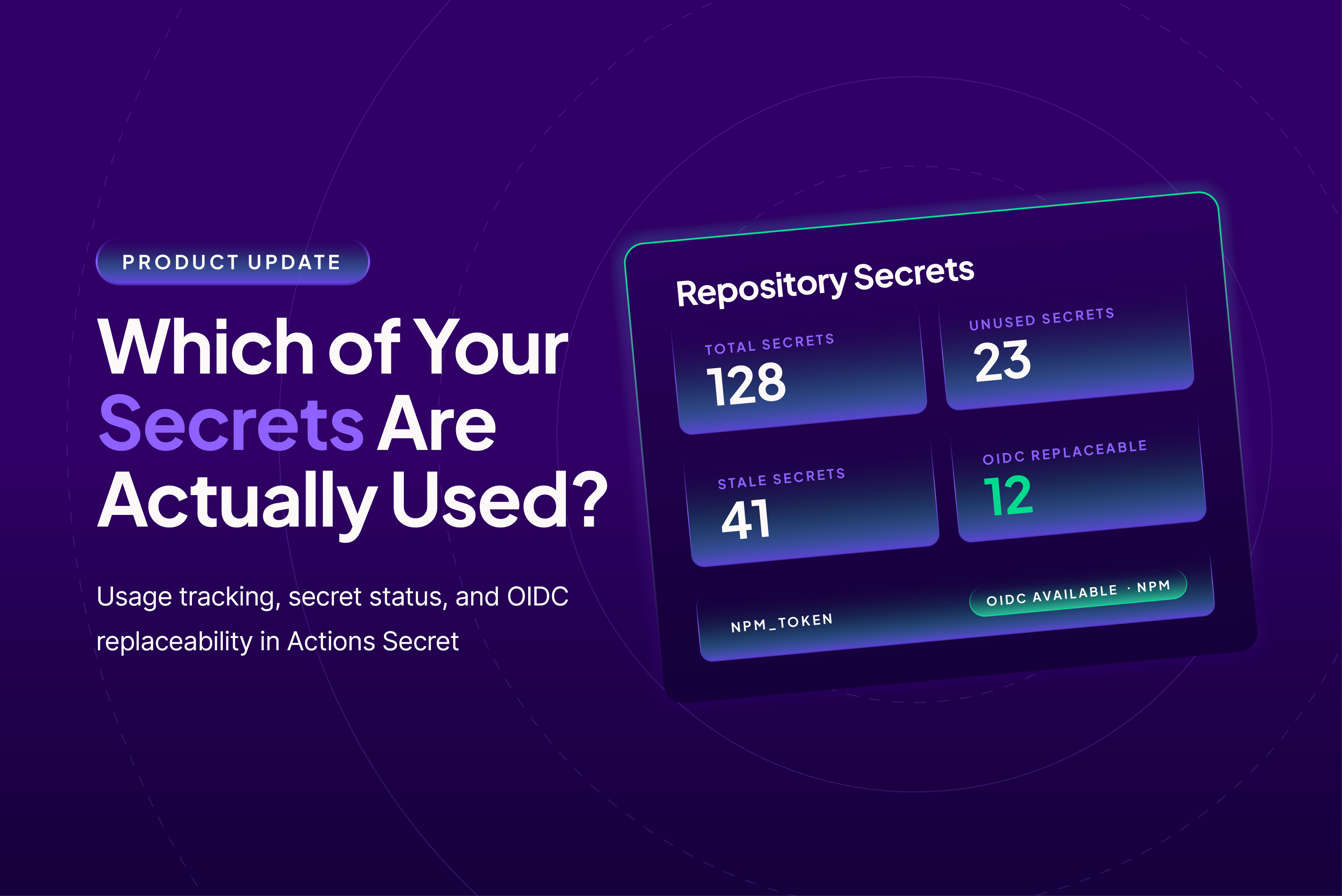
Actions Secret already gave you an organization-wide inventory of GitHub Actions secrets with rotation tracking. The Repository Secrets tab now adds usage tracking, secret status, and OIDC replaceability.
See your secrets posture at a glance
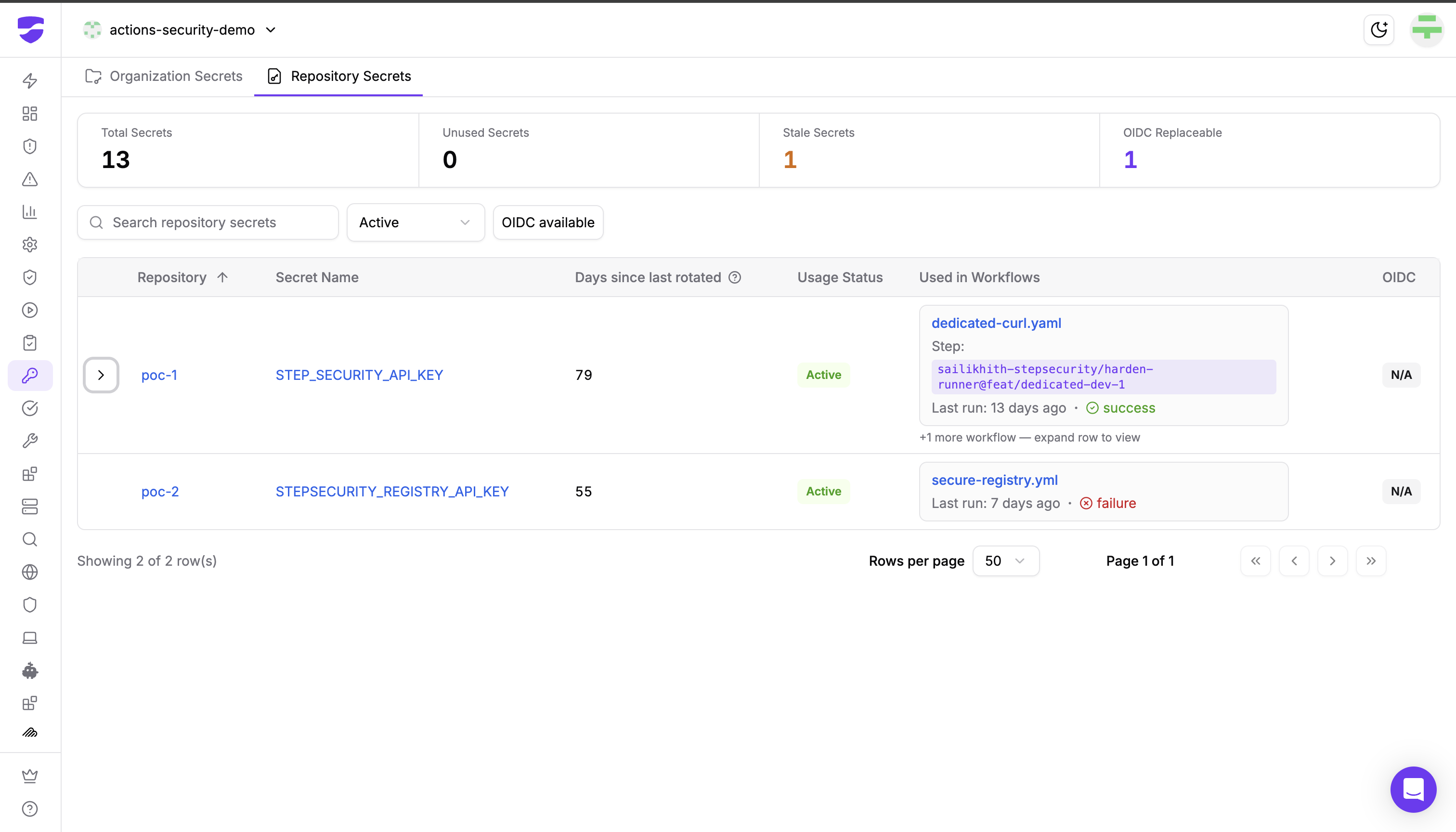
Four summary cards sit at the top of the tab:
- Total Secrets: every repository secret across the organization
- Unused Secrets: secrets no workflow uses, which are candidates for deletion
- Stale Secrets: secrets whose referencing workflows have not run in over 90 days, often leftovers from retired pipelines
- OIDC Replaceable: secrets you could eliminate entirely by switching to OpenID Connect authentication
Know which workflows use each secret
Each secret now carries a Usage Status: Active (a referencing workflow ran in the last 90 days), Stale (referenced, but no referencing workflow has run in 90 days), Unused (no workflow references it), or Unknown (not yet analyzed; this clears automatically once analysis runs). For referenced secrets, the Used in Workflows column shows exactly where the secret is read: the repository and workflow file, the Action (uses: value) of the step that consumes it, and the last run with its conclusion and a link to the run on GitHub. If a secret is used in multiple workflows, expand the row to see all of them.
The reference analysis is thorough: it catches direct references like secrets.NPM_TOKEN, bracket and dynamic lookups, bulk access like toJSON(secrets), and even secrets consumed inside reusable workflows called with secrets: inherit.
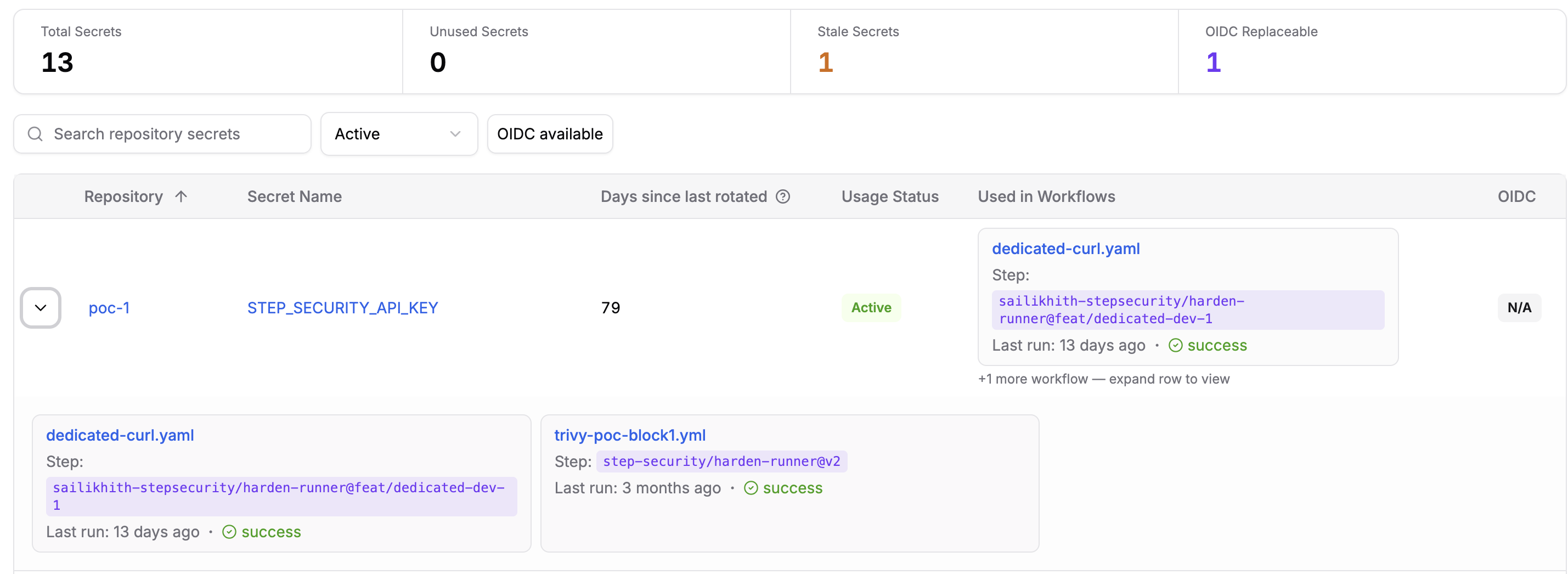
This is the difference between "we think this AWS key is used somewhere" and "this key is used by deploy.yaml in microservice-ecr, last run 6 days ago." During an incident, that difference is measured in hours of response time.
Find the secrets you can eliminate entirely
The best secret is one that does not exist. The new OIDC column flags secrets that can be replaced with OIDC authentication, where GitHub issues a short-lived token for each workflow run and no static secret is stored at all. Detection works two ways: secrets passed to Actions that support OIDC federation (aws-actions/configure-aws-credentials, google-github-actions/auth, azure/login) and registry publishing tokens that support OIDC trusted publishing, such as npm and PyPI tokens. The badge names the provider, so an NPM_TOKEN used for publishing shows OIDC Available · npm, and an AWS credential shows OIDC Available · AWS.
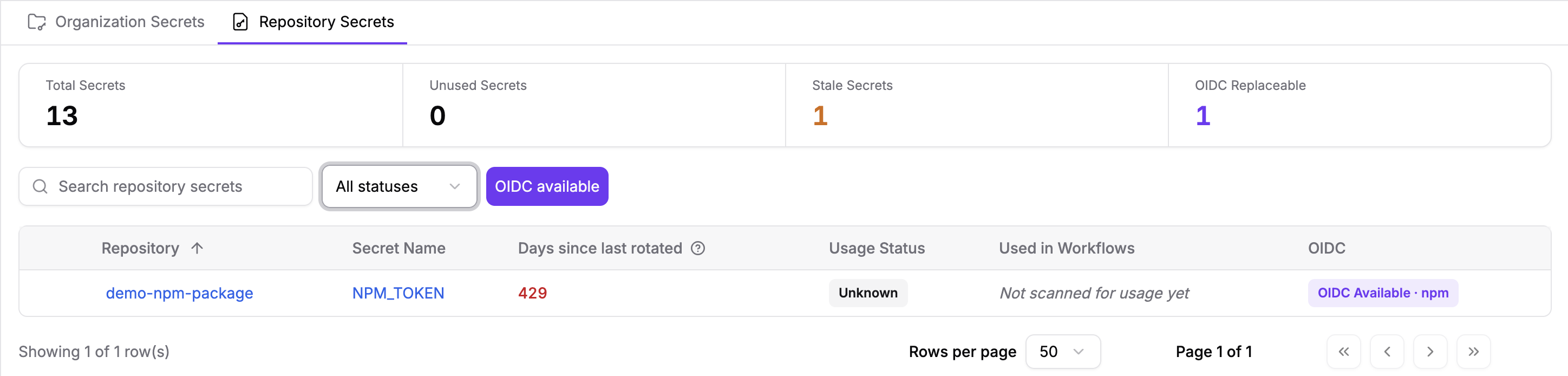
This matters because token theft is the engine behind the largest supply chain attacks of the past year. The Shai-Hulud worm spread by stealing npm tokens and using them to publish malicious versions of legitimate packages. A stolen long-lived token publishes malware; an OIDC-based publish flow gives an attacker nothing durable to steal.
Filter to what matters
Use the search box, the status filter (Active, Stale, Unused, Unknown), or the OIDC available toggle to cut the list down to the secrets that need attention, whether that is a cleanup sprint for unused secrets or an OIDC migration plan.
Want to see how well your workflows follow least-privilege and secrets best practices today? Run your repositories through the free StepSecurity Action Advisor, no signup required.
Why This Matters
Unused secrets are pure risk
A secret that no workflow uses provides zero value and full breach potential. Campaigns like GhostAction do not check whether a secret is load-bearing before exfiltrating it. Every unused secret you delete is one less credential to rotate during your next incident. One caveat before deleting: Unused reflects analyzed GitHub Actions workflows only, so confirm the secret is not consumed by an external system through the API first.
Stale secrets are leftovers waiting to be stolen
A Stale secret is one whose referencing workflows have gone quiet for over 90 days, typically because the pipeline that used it was retired but the credential was never cleaned up. Nobody is watching it, and nobody misses it when it leaks. If the pipeline is truly retired, delete the secret; if it is still needed, rotate it. Rotation age is tracked separately in the Days since last rotated column, where the 1,114-day-old cloud credentials most organizations discover on first open pair with the Secrets should be rotated periodically control.
Usage context turns inventory into response capability
An inventory tells you what exists. Usage tracking tells you what to do about it. When the next campaign targeting a specific credential type lands, you can filter to affected secrets, see exactly which workflows use them, rotate with confidence, and delete the rest.
For a full checklist of secrets hygiene practices, see our guide to GitHub Actions secrets management best practices. And because prevention and detection go together, Harden-Runner's secret exfiltration protection flags workflow runs that attempt to dump your secrets as they execute.
Curious how exposed your organization is right now? Request a free GitHub Actions security audit and get a report of your workflow security posture.
Getting Started
Actions Secret is available on the Enterprise tier. To use the new capabilities:
- Open your StepSecurity dashboard and navigate to the Actions Secret section.
- Select the Repository Secrets tab.
- Review the summary cards, then filter by Unused to build your deletion list and by OIDC available to build your migration list.
Follow this interactive demo to see Actions Secret in action:
See the Actions Secret documentation for details.
Ready to shrink your secrets attack surface? Start free or talk to us about an Enterprise trial.